
A practical guide / Fonix.AI
Asterisk integration: design and pilot guide
A worked scenario, illustrated decision review and a practical pilot worksheet.
Asterisk voice integration belongs in an explicit dialplan path
An Asterisk voice AI integration should define exactly when a call enters the agent route, what media interface it uses and how control returns to a person or fallback. “Connect Asterisk to AI” is too vague to review: a SIP endpoint, an external media application and a transfer destination have different operating requirements.
Use this Fonix.AI guide as a deployment review, not a paste-ready configuration. Confirm the installed Asterisk version, supported Fonix interface and carrier constraints before implementing a route.
Keep the entry context bounded
Create a dedicated context or equivalent routing boundary for the approved numbers/extensions. Avoid sending arbitrary dialled strings into an external service. Map caller identity and trusted routing data on the server; do not let spoken input choose an unrestricted destination.
The official Dial application reference describes call placement and options. Check the documentation matching your installed version and the selected media approach. Do not combine options from unrelated versions or assume a successful Dial result means the business task completed.
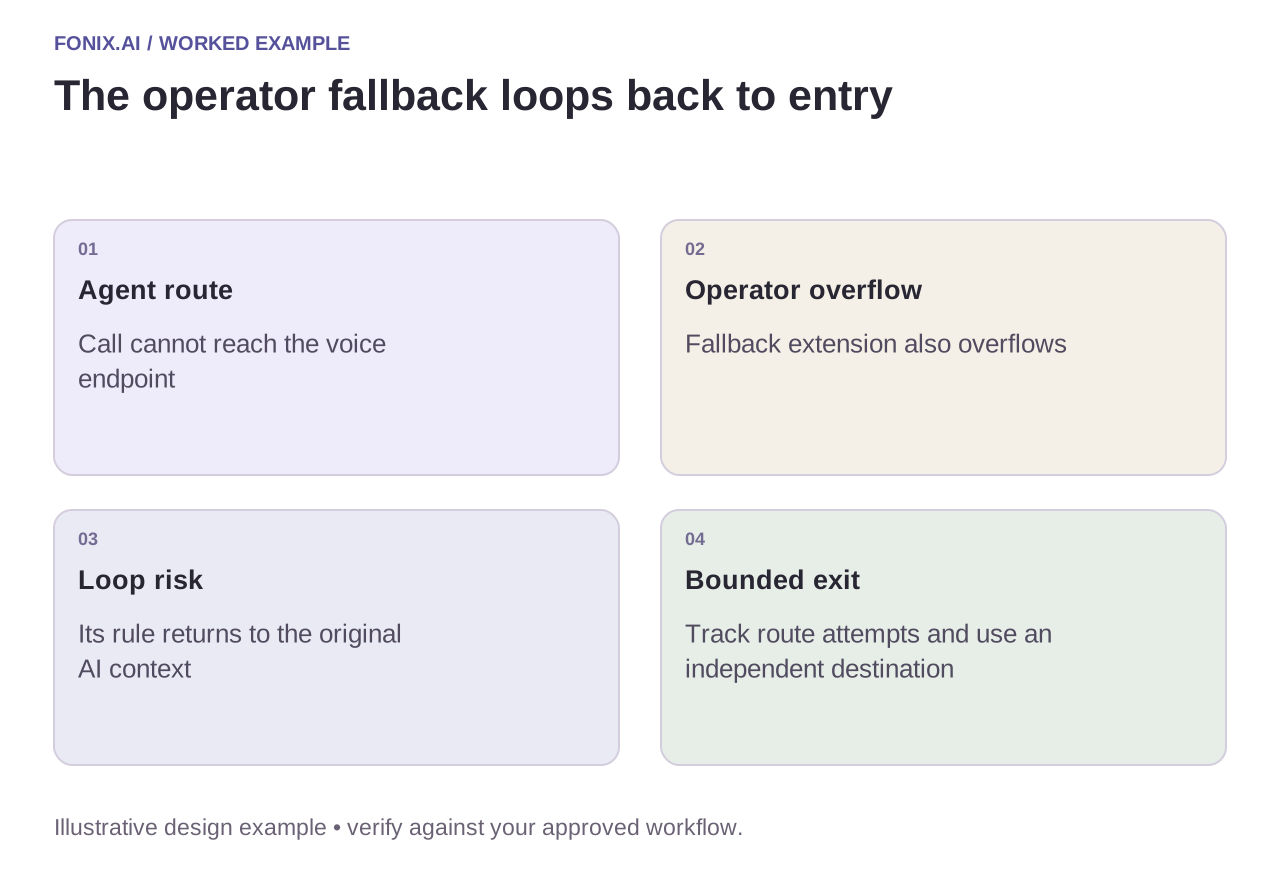
Worked example: the fallback sends the caller back to AI
A fictional dialplan sends unanswered agent calls to an operator extension. That extension's overflow rule returns to the original AI entry context. The result is a loop. Preserve a route-attempt marker or equivalent bounded policy and give the final fallback an independent destination.
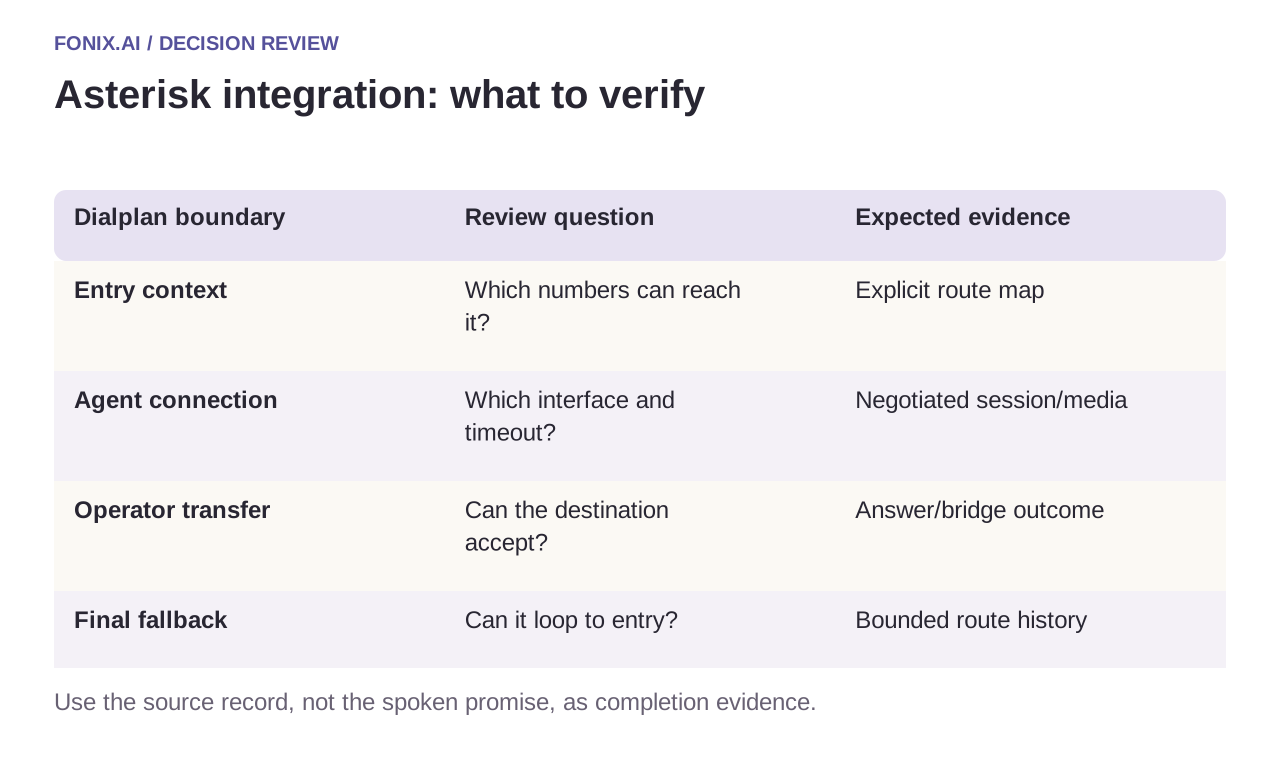
| Dialplan boundary | Review question | Expected evidence |
|---|---|---|
| Entry context | Which numbers can reach it? | Explicit route map |
| Agent connection | Which interface and timeout? | Negotiated session/media |
| Operator transfer | Can the destination accept? | Answer/bridge outcome |
| Final fallback | Can it loop to entry? | Bounded route history |
Diagnose the channel and application separately
Record Asterisk channel identifiers and link them to the carrier and Fonix session. Inspect the selected media path when audio is missing; inspect application ownership when a call never returns to the intended route. Retain hangup causes and transfer-leg state instead of inferring them from the last spoken sentence.
Use restricted, sanitised logs for troubleshooting. Dialplans and traces can reveal internal extensions, numbers and network details. A public example should use fictional topology and no credentials; production access belongs in the deployment's secret store.
An Asterisk route, fallback and teardown drill
Record the installed Asterisk version, authorised dialplan contexts and chosen media interface. Use a controlled extension and final fallback independent of the AI entry route. Keep diagnostic traces restricted and sanitised.
| Pilot case | Required behaviour |
|---|---|
| The operator overflow sends the call back to AI | Enforce the approved route-attempt limit and exit through a non-looping destination. |
| The agent endpoint is unreachable | Apply the bounded timeout and verify what the caller actually hears. |
| The caller disconnects during a tool operation | Clean up channels while preserving the business action for reconciliation. |
Count correctly completed routes and remaining channels after each test. Report busy, rejected, media and application failures separately. A conversation that appears finished can still leave resources occupied or a caller trapped in routing.
Can one dialplan example be pasted into every PBX?
No. Installed versions, contexts, permissions and interface choices differ. Review the route with the PBX owner, test each failure path and use sanitised examples for public documentation rather than exposing internal extensions or credentials.
Run teardown and fallback tests
Test caller hangup during speech, an unavailable voice endpoint, a busy operator and a failed media connection. Verify channel cleanup as well as the caller experience. Abandoned channels can consume capacity after the conversation appears over.
Review an Asterisk voice route with the installed version and a sanitised dialplan excerpt. SIP topology covers network boundaries; warm transfer covers acceptance by the person. Official reference checked 15 October 2026.