

A practical guide / Fonix.AI
Outage notifications: a practical implementation guide
A worked scenario, illustrated decision review and a practical pilot worksheet.
Outage notifications need a current incident and an affected cohort
Automated outage notification calls should tell the right people what is currently known about a service incident. They must also stop obsolete messages when the incident changes. A large delivery count is not useful if unaffected customers receive alarming calls or restored customers hear yesterday's warning.
Use Fonix.AI to evaluate incident-driven outreach with approved message versions and contact rules. This workflow broadcasts verified operational information; individual fault investigation belongs in the utilities support guide.
Build the audience from service relationships
Resolve affected service points or accounts from the incident system. Deduplicate eligible contacts while preserving which services are affected. A building-level event may affect several meters or connections; a shared phone number should not automatically receive one call per asset.
Store incident ID, revision, approved message, audience revision and expiry. Recheck eligibility and incident state immediately before calling. Queue creation can be hours earlier than execution, especially during a widespread event.
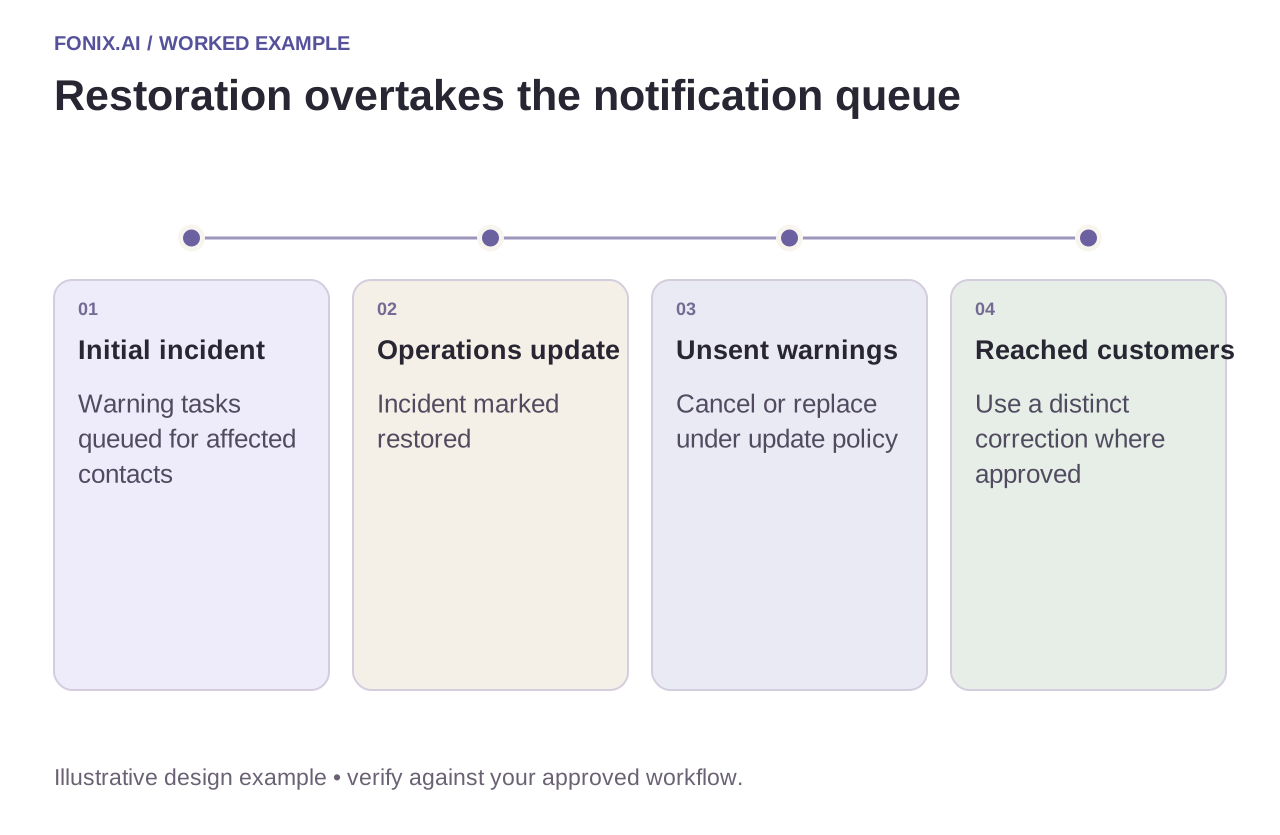
Worked example: restoration overtakes the warning queue
A fictional incident generates an initial notification queue. Before all calls start, operations marks the incident restored. Remaining warning tasks should be cancelled or replaced under the approved update policy. Do not send the obsolete warning and then a restoration call simply because both tasks exist.
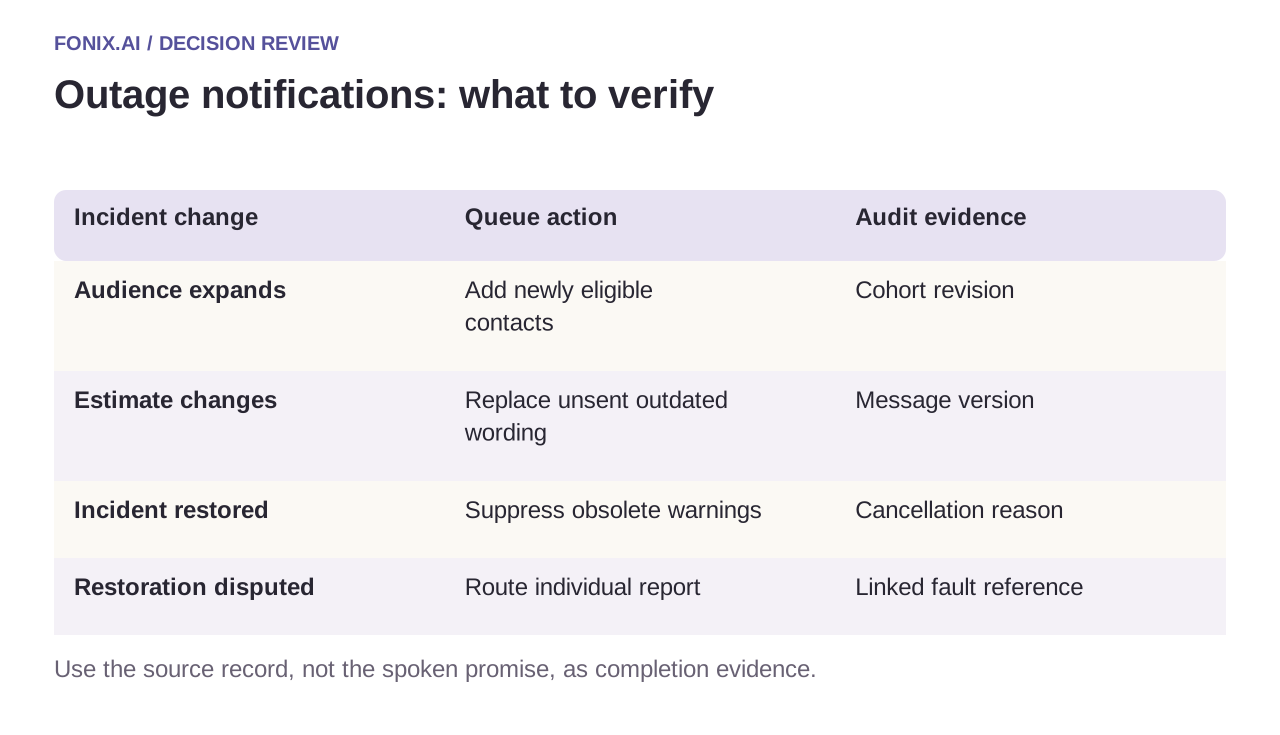
| Incident change | Queue action | Audit evidence |
|---|---|---|
| Audience expands | Add newly eligible contacts | Cohort revision |
| Estimate changes | Replace unsent outdated wording | Message version |
| Incident restored | Suppress obsolete warnings | Cancellation reason |
| Restoration disputed | Route individual report | Linked fault reference |
Delivery is not comprehension or resolution
Record no-answer, voicemail, connected and uncertain outcomes separately. A carrier's connected status does not establish that a person heard the full message. If voicemail is permitted, use the approved short message and avoid account-sensitive details.
Let callers request the supported next step without turning the notification into an unrestricted account assistant. Questions about a private account may require verification; reports of continuing impact need a receiving support owner. Keep the incident statement and the caller's new report as distinct evidence.
An incident-revision drill before campaign launch
Use a synthetic affected-account list and versioned incident messages. Operations should define who approves updates, when unsent tasks expire and whether customers already reached need a separate correction.
| Pilot case | Required behaviour |
|---|---|
| Restoration arrives before the warning task executes | Cancel or replace the unsent warning under the approved revision policy. |
| One number represents two affected services | Deduplicate contact attempts while retaining the relevant service context. |
| A reached customer reports continued impact | Create a linked individual report with an owner instead of contradicting the caller with the area status. |
Count stale warnings and inappropriate recipients alongside delivery outcomes. Keep connected, voicemail, complete-message playback and uncertain results distinct. A network connection is not proof that a person understood the message or that service was restored.
Should every incident revision trigger another call?
Not automatically. Decide which material changes justify contact, cancel superseded unsent work and follow the approved frequency and correction policy. Store message and audience revisions so operations can explain exactly what each recipient was meant to receive.
Test cancellation under load
Start a synthetic queue, change the incident revision and verify which tasks are suppressed before dialling. Test duplicate incident events and two affected services sharing one contact. Measure stale messages, inappropriate recipients and accepted follow-up reports alongside delivery outcomes.
Review incident notification calls with an incident schema and approved update policy. n8n workflow design covers retried events; answering-machine detection covers uncertain recipients.