

A practical guide / Fonix.AI
n8n calling workflows: design and pilot guide
A worked scenario, illustrated decision review and a practical pilot worksheet.
An n8n AI calling workflow needs durable event ownership
An n8n AI calling agent workflow should start one intended call for one eligible business event and reconcile the outcome when callbacks arrive. Connecting a webhook directly to a call request is easy; preventing repeat calls and recovering partial work requires explicit state.
Use this Fonix.AI design as a workflow specification. The actual call-creation interface and credentials must be confirmed for your deployment. This is not an advertised import-ready connector or a claim that a sample flow has been tested against your systems.
Put validation and deduplication before dialling
Use an authenticated ingress, validate the event schema and resolve the current business record. n8n's Webhook node documentation distinguishes test and production webhook URLs. Confirm which URL is active and never expose a development listener as the production event contract.
Claim a durable task key in a database or equivalent store with uniqueness guarantees. A workflow-local variable does not coordinate several simultaneous executions. Recheck eligibility after claiming the task and before requesting a call.
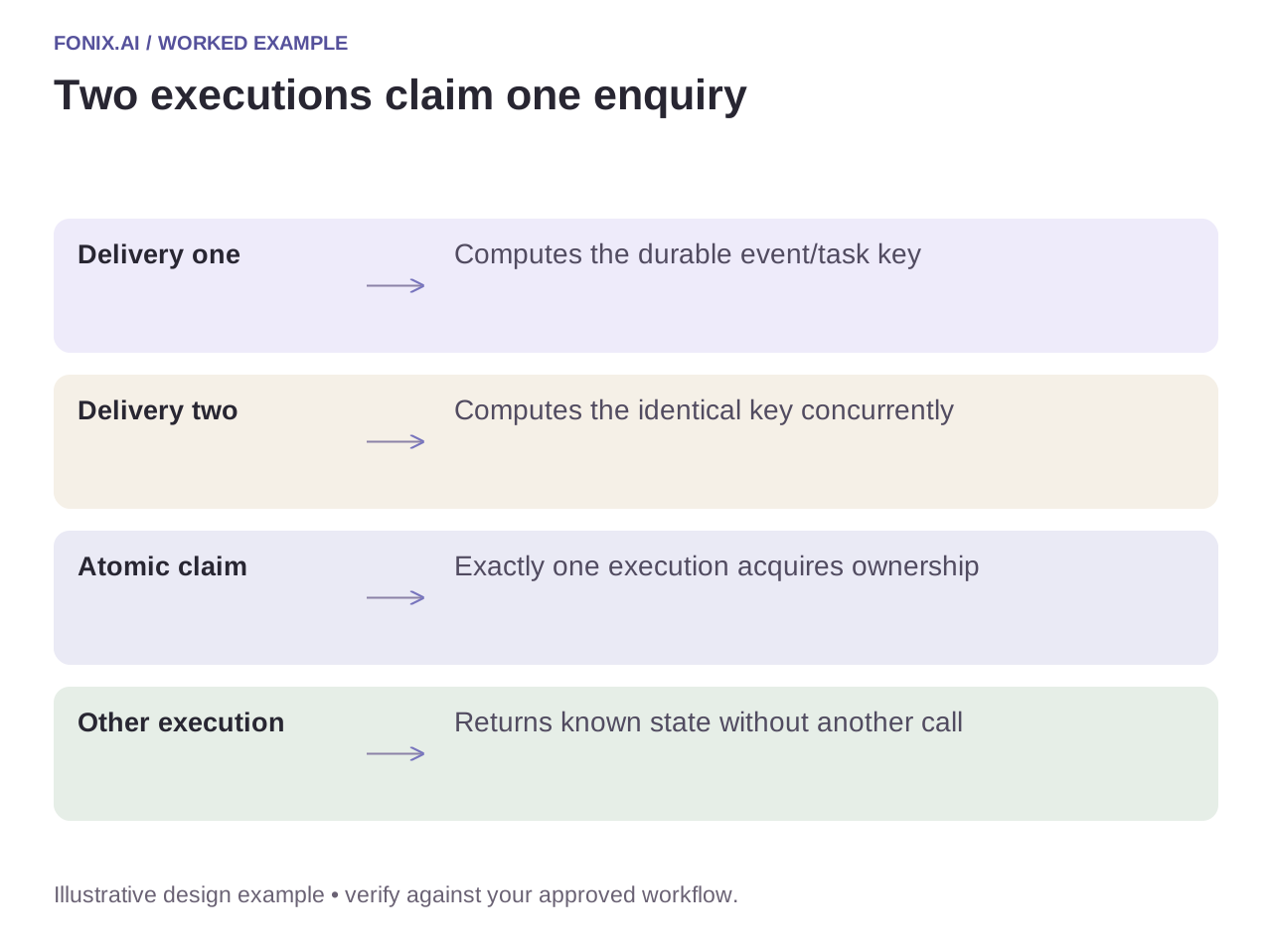
Worked example: the webhook is delivered twice
A fictional enquiry event arrives twice within a second. Both executions compute the same task key. Only the execution that successfully claims it may request a call. The other returns an already-known outcome without dialling again.
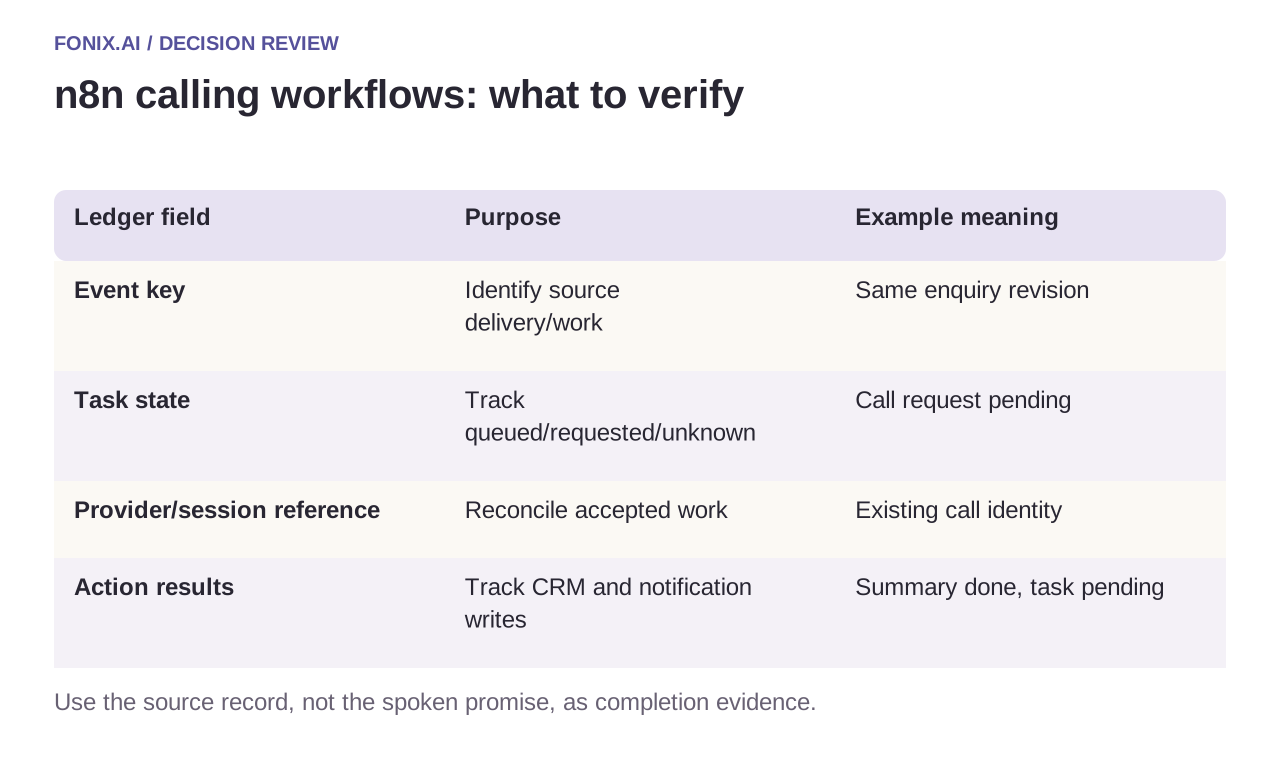
| Ledger field | Purpose | Example meaning |
|---|---|---|
| Event key | Identify source delivery/work | Same enquiry revision |
| Task state | Track queued/requested/unknown | Call request pending |
| Provider/session reference | Reconcile accepted work | Existing call identity |
| Action results | Track CRM and notification writes | Summary done, task pending |
Handle errors by action, not by replaying everything
If call creation times out, mark the result unknown and reconcile before retrying. If the CRM note succeeds but notification fails, resume the missing notification only. n8n's error-handling guide describes error workflows; use them to surface actionable failures, not to erase ambiguity through unbounded replay.
Keep credentials in approved connection storage and minimise retained payloads. A call event can contain personal information, so avoid routing entire transcripts into every node when only an outcome reference is needed.
An n8n replay and unknown-result worksheet
Use one synthetic source-event schema and a persistent task ledger with an atomic claim. Map call requests, accepted provider references and CRM actions separately. Configure an exception owner for errors that cannot be safely replayed.
| Pilot case | Required behaviour |
|---|---|
| The same enquiry arrives concurrently | Allow only the successful task claimant to request the call. |
| Call creation times out after possible acceptance | Record unknown state and reconcile before another request. |
| The CRM note succeeds but notification fails | Resume the missing action without replaying the call and note. |
Count intended accepted calls per eligible business task, duplicate dials and unresolved actions. Inspect the destination records as well as workflow execution history. A green execution is not proof of exactly one useful customer interaction.
Is a workflow execution ID sufficient for deduplication?
Not if the same business event can create several executions. Derive a stable task identity from trusted source and revision context, and enforce uniqueness in durable storage. A workflow-local check without an atomic claim can race under concurrent delivery.
Validate with deliberate duplicate and timeout events
Replay an event concurrently, disable a downstream tool and simulate a lost response after acceptance. Verify exactly one intended call and a recoverable action ledger. Count reconciled business outcomes rather than green workflow executions.
Review an n8n calling workflow with one event schema and receiving system. Lead reactivation defines eligibility; function reliability defines unknown transaction states. Official references checked 15 October 2026.
If operations uses a different automation engine, the Zapier partial-replay guide and Make branch-recovery guide apply the same business-action questions to their respective workflow contexts. They are designs to evaluate, not ready-made Fonix app listings.