
A practical guide / Fonix.AI
Telecom support: a practical implementation guide
A worked scenario, illustrated decision review and a practical pilot worksheet.
A telecom voice bot should answer from the active service state
A telecom voice bot can explain approved plan information and prepare a useful network-support case. It needs to distinguish the subscriber, service connection, active entitlement and the fault the caller is experiencing. A fluent explanation of the wrong plan is still a wrong answer.
For a Fonix.AI pilot, choose a bounded task such as broadband fault intake or current-plan enquiries. Agree which subscriber and network systems are accessible. Plan migration, account changes and payments require explicit permissions; they should not become implied capabilities of a support conversation.
Resolve the connection, then retrieve current eligibility
One person can hold several mobile or broadband services. Verify the caller through the provider's approved process and identify the affected connection. Retrieve the active plan, effective dates, add-ons and relevant restrictions from the authorised source rather than a general sales brochure.
Separate a service fault from an account or device question. Ask approved diagnostic questions and preserve observations: connection light state, affected service, start time and whether other devices are affected. Avoid inventing a line test or claiming a remote reset occurred without an actual tool result.
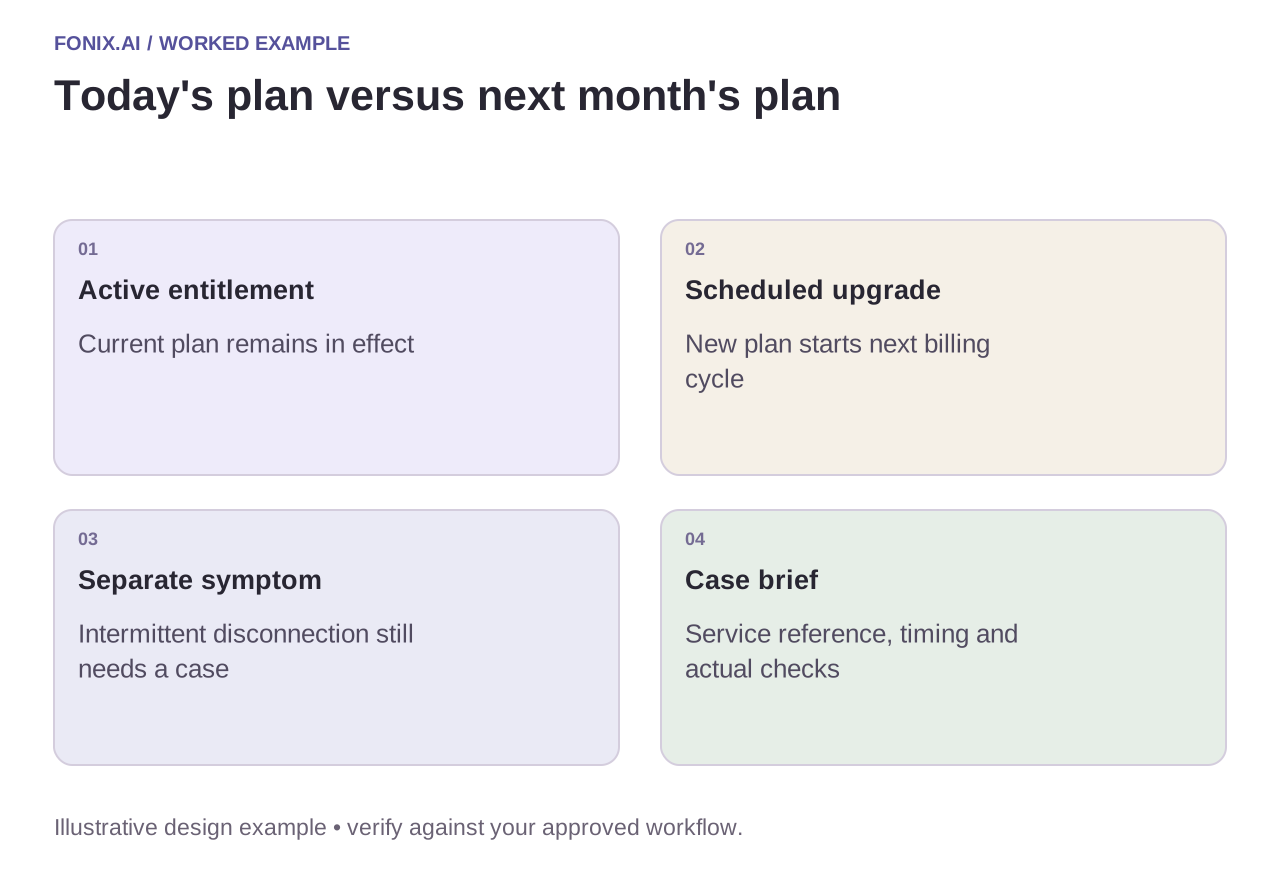
Worked example: a scheduled plan change is not yet active
A fictional subscriber has an upgrade scheduled for the next billing cycle. They call because current speed differs from the future plan's advertised speed. The agent should explain the active entitlement and the scheduled effective date using approved wording. It must not say that the upgrade failed or promise immediate activation.
If the caller also reports intermittent disconnection, capture that as a separate fault. The future plan does not explain every connectivity issue. Associate the support case with the correct service, current incident check and any approved diagnostic results.
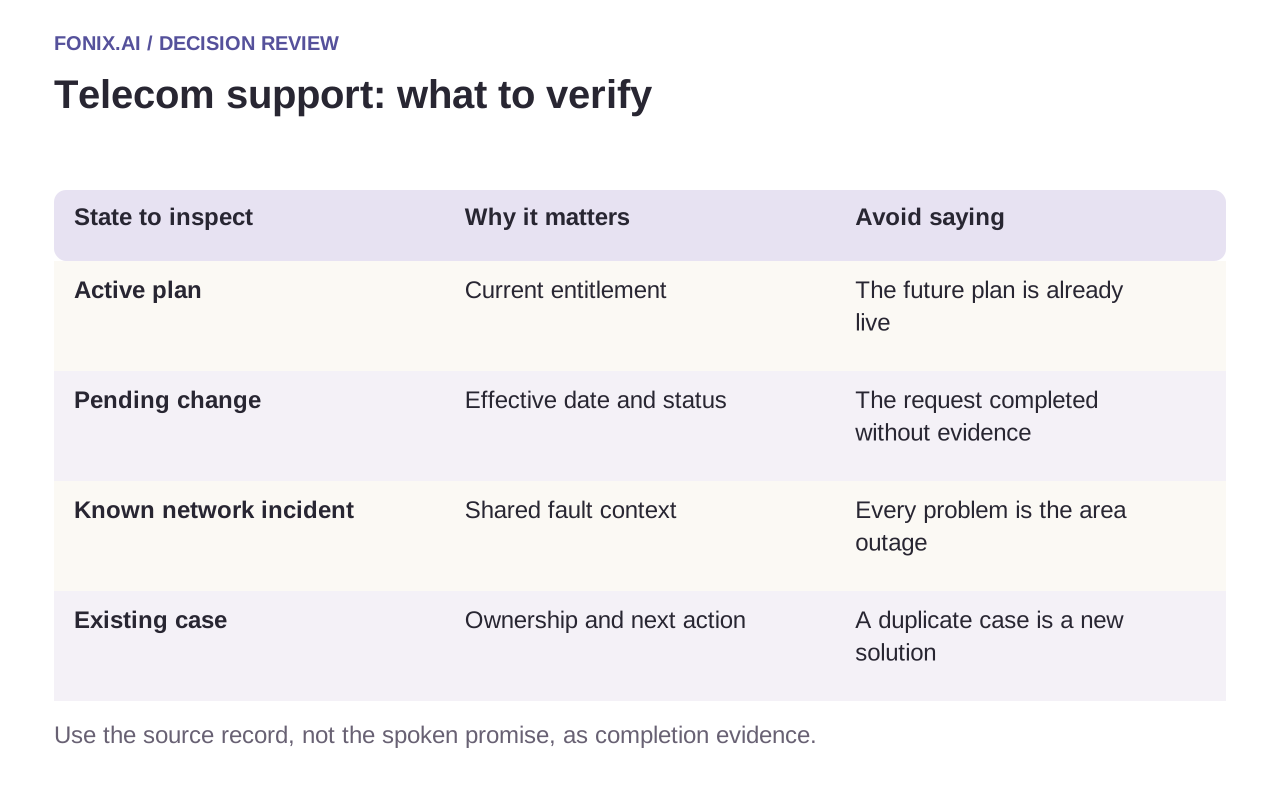
| State to inspect | Why it matters | Avoid saying |
|---|---|---|
| Active plan | Current entitlement | The future plan is already live |
| Pending change | Effective date and status | The request completed without evidence |
| Known network incident | Shared fault context | Every problem is the area outage |
| Existing case | Ownership and next action | A duplicate case is a new solution |
Write an engineer-ready case
Record the service reference, reported symptoms, relevant timestamps, approved checks performed and anything still unknown. A case summary saying “internet not working” forces the customer to repeat the conversation. A summary that invents a successful diagnostic test is worse.
Keep a requested callback, assigned engineer and accepted appointment distinct. Before telling a caller that service has been restored, check the incident state and the relevant confirmation process. If an account action fails or times out, route the unknown result for reconciliation rather than attempting repeated changes during the call.
An engineer-ready telecom support rehearsal
Prepare synthetic accounts with multiple connections, pending plan changes and known incidents. Supply approved diagnostic questions and a case schema. Limit the first pilot to supported read and intake actions before enabling account changes.
| Pilot case | Required behaviour |
|---|---|
| A future upgrade is mistaken for the active plan | Explain the present entitlement and the approved effective date separately. |
| A subscriber has broadband at two premises | Verify and select the affected service before case creation or account disclosure. |
| A remote-check tool is unavailable | Record that the check was not performed and follow the approved support fallback. |
Score service, active-plan and fault-case accuracy against current records. Track duplicated cases, invented diagnostic results and repeat contacts due to missing handoff detail. A shorter conversation is not a useful result if the engineer must start again.
Does an upgrade explain a reported disconnection?
Not automatically. Treat the plan enquiry and the reported fault as distinct issues until approved diagnostics or incident evidence relates them. A future entitlement should not obscure an unresolved problem on the current service.
Evaluate entitlement accuracy and repeat contacts
Test several services on one account, a pending plan change, an intermittent fault and a known incident closing mid-call. Compare spoken answers with active entitlement records. Track correct case routing, unnecessary duplicate cases and repeat contacts caused by missing information. A shorter call is useful only when the next team can act on its record.
Bring a sanitised plan schema and fault-intake checklist to review telecom voice support. See knowledge retrieval for approved-answer freshness and warm transfer for a live specialist handoff.