
A practical guide / Fonix.AI
Appointment reminder calls: confirmation, rescheduling and reliable status updates
Workflows, exceptions and the questions to ask before deployment.
A reminder should make the appointment easier to manage
Automated appointment reminder calls contact someone about an existing booking and capture whether they plan to attend, need to reschedule or want help. The useful result is an updated attendance response or an owned request. Sending a reminder does not establish that the person heard it, and a reminder response should not silently change the appointment.
This workflow is different from an AI receptionist for new clinic enquiries. The receptionist creates or changes a booking after a conversation; the reminder begins with a booking already in the scheduling source. Keeping those triggers separate helps prevent duplicate appointments and stale notifications.
Start with one appointment category and a clearly defined reminder window. Use the clinic's approved contact and privacy process, keep clinical questions with the care team, and have the front desk review unresolved outcomes before expanding the pilot.
Recheck the booking before each attempt
The reminder job should carry an appointment reference, scheduled time, appointment version and the contact record selected through the clinic's process. Do not identify the booking only by phone number: a household may have several appointments and share a number.
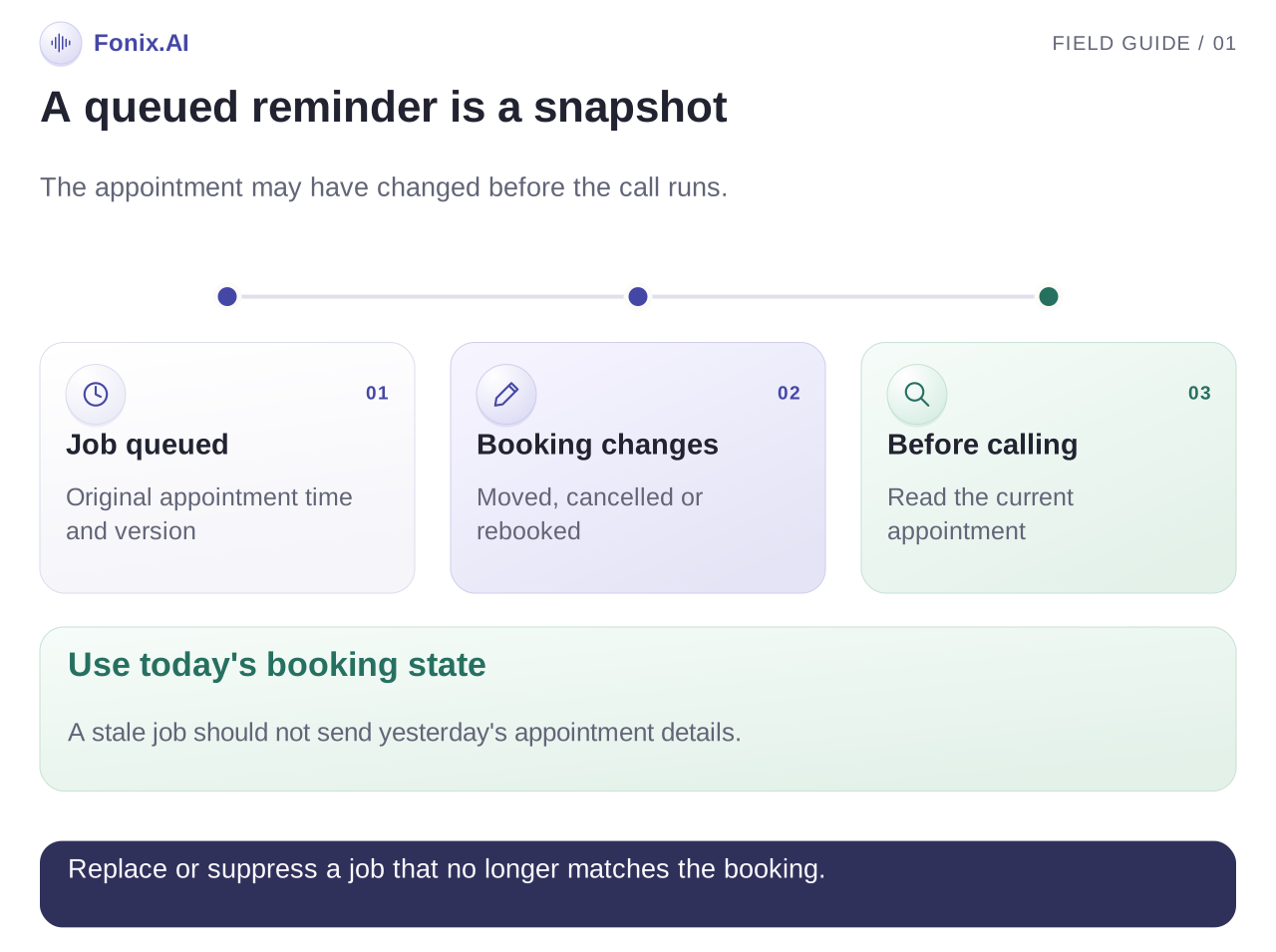
At job creation, apply the reminder window and contact preferences. Immediately before calling, read the appointment again. It may have been cancelled, moved to a different branch or assigned a different doctor since the job entered the queue.
If the version changed, replace the stale task according to your scheduling rules. If the appointment is no longer eligible, stop the reminder. Keep the reason visible so an operator can distinguish intentional suppression from a failed call.
Choose whether the workflow merely records a reschedule request or can complete a new booking. Those are different permissions. A reminder integration that reads upcoming appointments should not be presented as a rescheduling integration unless the relevant write actions are supported and tested.
Ask for a response the front desk can use
Introduce the clinic and automated assistant, then follow the approved process for speaking with the intended recipient. Disclose only the appointment information needed for this task. Appointment calls should not become a place to collect symptoms or generate treatment advice.
Repeat the current appointment date, time and branch where appropriate, then ask whether the person plans to attend. Make it easy to request a different time or a staff callback. Read the selected next step back before recording it.
Here is an illustrative conversation, assuming the scheduling source has returned the current booking:
Assistant: Hello, this is the clinic's automated appointment assistant. Is now a suitable time to discuss your upcoming booking?
Patient: Tomorrow morning possible nahi hai. Friday ko shift kar sakte hain?
Assistant: You would like a Friday appointment instead of tomorrow morning. I will check the clinic's rescheduling process. I will confirm a change only after the scheduling system accepts it.
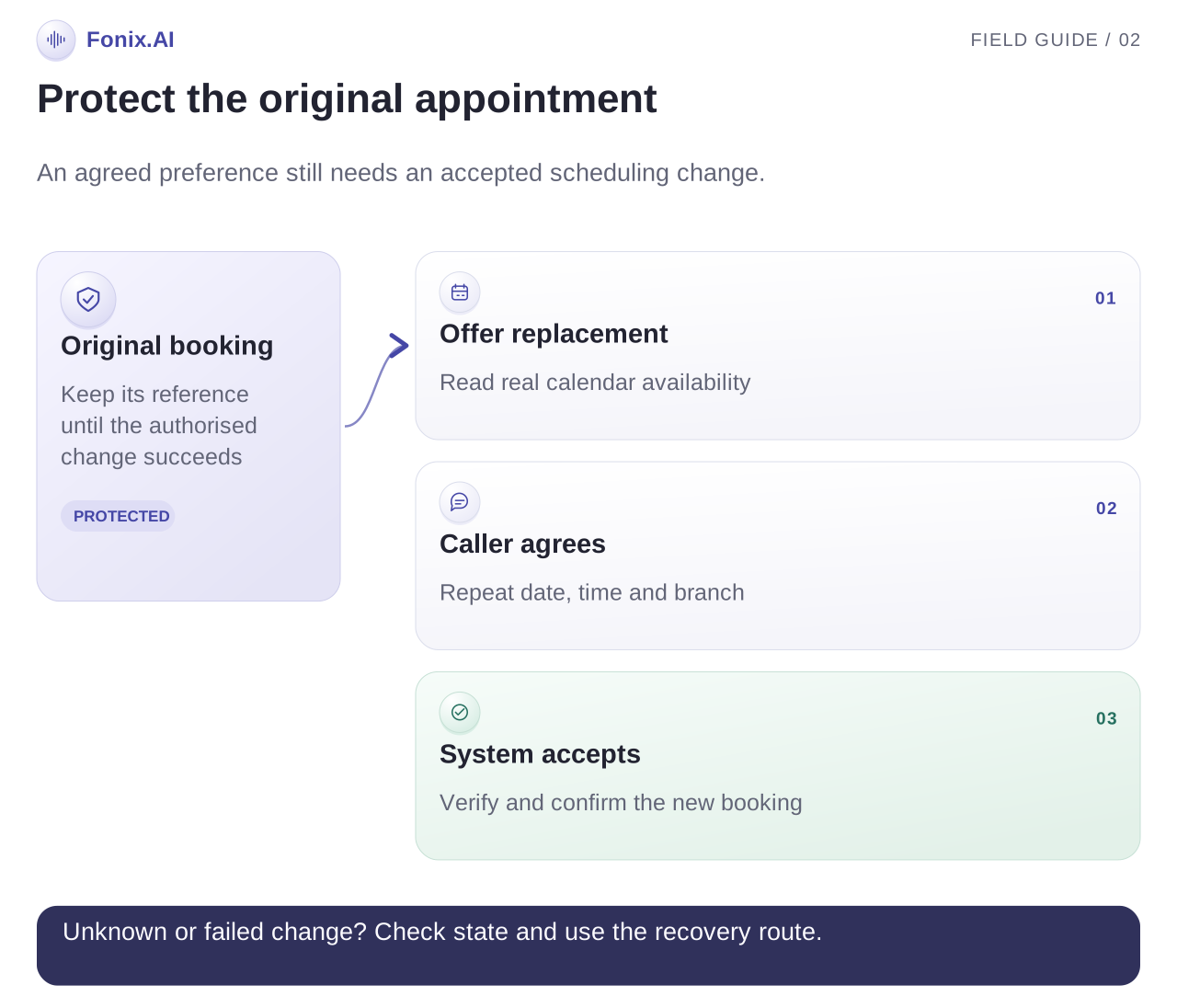
If the deployment supports only callback requests, the assistant should instead explain that the front desk will receive the request. The original booking remains unchanged until the authorised process completes.
Keep attendance response and booking status separate
Use separate fields or equivalent system concepts for the appointment itself and the response to the reminder. “Plans to attend” is an attendance response. “Cancelled” or “rescheduled” is a booking state that should be confirmed by the scheduling source.
| Reminder result | Appointment treatment | Next action |
|---|---|---|
| Plans to attend | Keep the current booking | Record attendance confirmation |
| Requests a different time | Keep current state until the change is confirmed | Check availability or assign a reschedule task |
| Requests cancellation | Follow authorised cancellation rules | Save the confirmed result or an owned request |
| Requests a person | Preserve the booking | Assign callback context to staff |
| Does not answer | Preserve the booking | Apply the agreed retry policy |
| Wrong recipient or unclear identity | Do not disclose further details | Review contact information |
A suggested outcome record includes appointment reference, observed version, attempt time, recipient-verification result, attendance response, requested action, confirmed action result and callback owner. Adapt it to the clinic's system; it is an example record design, not a Fonix API contract.
Treat rescheduling as a controlled transaction
If direct rescheduling is supported, retrieve availability from the correct doctor, service and branch. Repeat the proposed date and time and obtain agreement before making the change. The scheduling system should define whether it offers one atomic reschedule operation or requires another sequence.
Do not cancel the original appointment first and then discover that the replacement slot is unavailable. Confirm how the integration protects the original booking when a replacement write fails. If it cannot guarantee the transition, use an explicit staff-reviewed process.
When a write times out, query the appointment and attempted operation before retrying. The change may have succeeded even though the response did not arrive. Blind retries can create duplicates or send conflicting confirmations.
If messaging confirmation is configured, send the final source-system details after the change succeeds. Track message delivery separately. Cancel or invalidate future reminders associated with the old appointment version.
Test stale jobs and contact boundaries
| Test case | Expected result | What an operator should see |
|---|---|---|
| Booking cancelled after job creation | No stale reminder proceeds | Suppression reason and current state |
| Branch changed before the call | Current branch used | Fresh lookup version |
| Call drops after a reschedule write | Verify the result before another attempt | Operation reference and confirmed booking |
| New slot becomes unavailable | Preserve or recover the original according to system rules | Explicit unresolved action |
| Recipient asks for no reminders | Apply the clinic's preference process | Preference visible to future job selection |
| Recipient asks a clinical question | Route through the clinic's staff process | Question and responsible owner |
Test shared family contact numbers and a person correcting the date halfway through the call. Have front-desk staff check whether each saved response is sufficiently clear to complete the next action.
Measure reminders against an appointment baseline
Track eligible appointments, attempted reminders, conversations with the intended recipient, attendance confirmations, reschedule requests and completed changes. Measure callback completion separately so a growing queue does not disappear behind a high call-answer rate.
For attendance, use appointments from the same defined cohort and observe their final outcomes. A reasonable measure is attended appointments divided by eligible appointments, with cancellations and reschedules handled consistently in the comparison. Also review attendance by reminder-response state.
Compare similar services, booking lead times and periods. Holidays, appointment urgency, staffing and changes to the scheduling process can affect attendance. Do not promise a no-show reduction percentage without measured evidence from the actual deployment.
Check record quality as well as attendance: stale reminders sent, wrong branch details, duplicate appointments and unresolved reschedule requests all matter. A pilot that increases attendance while creating incorrect records still needs repair.
Evaluate one reminder window with Fonix
Fonix.AI supports reminder conversations and Indian-language calling. Bring upcoming appointments, reminder timing, recipient-verification rules, scheduling permissions and a front-desk owner. Ask for a normal attendance confirmation, a cancellation in the queue and a failed reschedule.
Request a reminder and rescheduling demo. Review the clinic receptionist guide for new appointment enquiries and the language testing guide for dates, doctor names and code-switched corrections.