

A practical guide / Fonix.AI
HubSpot integration: design and pilot guide
A worked scenario, illustrated decision review and a practical pilot worksheet.
HubSpot AI calling needs a record association strategy
A HubSpot AI calling integration should leave the sales team with a call attached to the correct person, company and opportunity. Looking up a telephone number and adding a note is insufficient when the same contact has several deals or belongs to a shared business line.
This is an implementation design for evaluating Fonix.AI with HubSpot. Connector availability, app permissions and the tested account configuration are confirmed during scoping; the examples below are proposed mappings, not a published Fonix API contract.
Use object IDs after identity resolution
HubSpot's Contacts API guide describes contact properties and associations. Use those explicit relationships rather than treating a phone value as a universal account key. Retain the resolved contact ID and the chosen company/deal association for the task.
Give the integration only the scopes required by its approved actions. Separate contact lookup, call/activity creation, deal updates and owner assignment. Store credentials on the server, outside prompts and transcripts. Before writing a stage, check that the field's internal value and pipeline belong to the intended account.
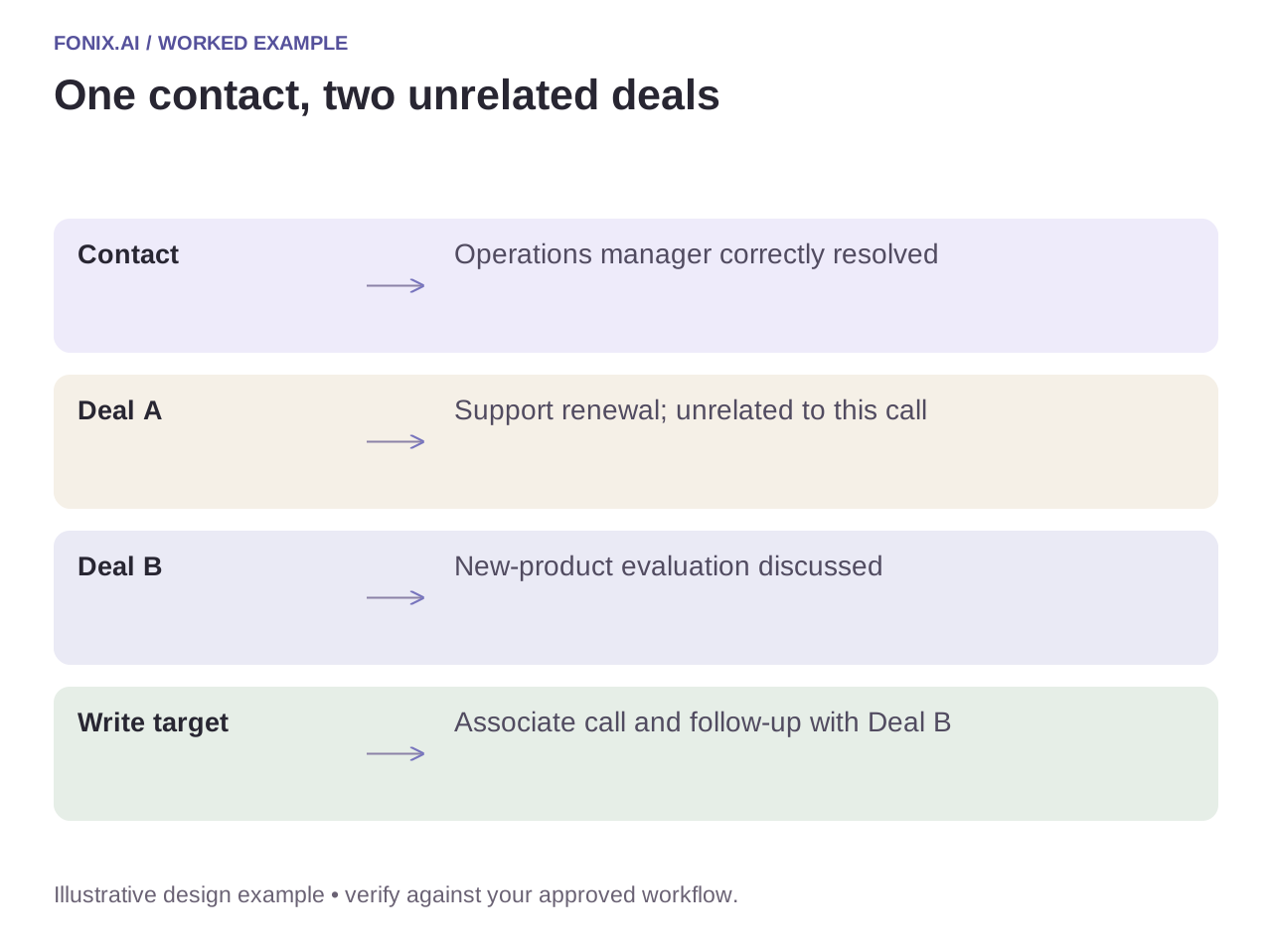
Worked example: one contact, two open deals
A fictional operations manager has a support-renewal deal and a separate new-product evaluation. The call concerns the new product. Associate the summary and next task with that deal; moving the renewal deal to a new stage would corrupt the pipeline despite identifying the person correctly.
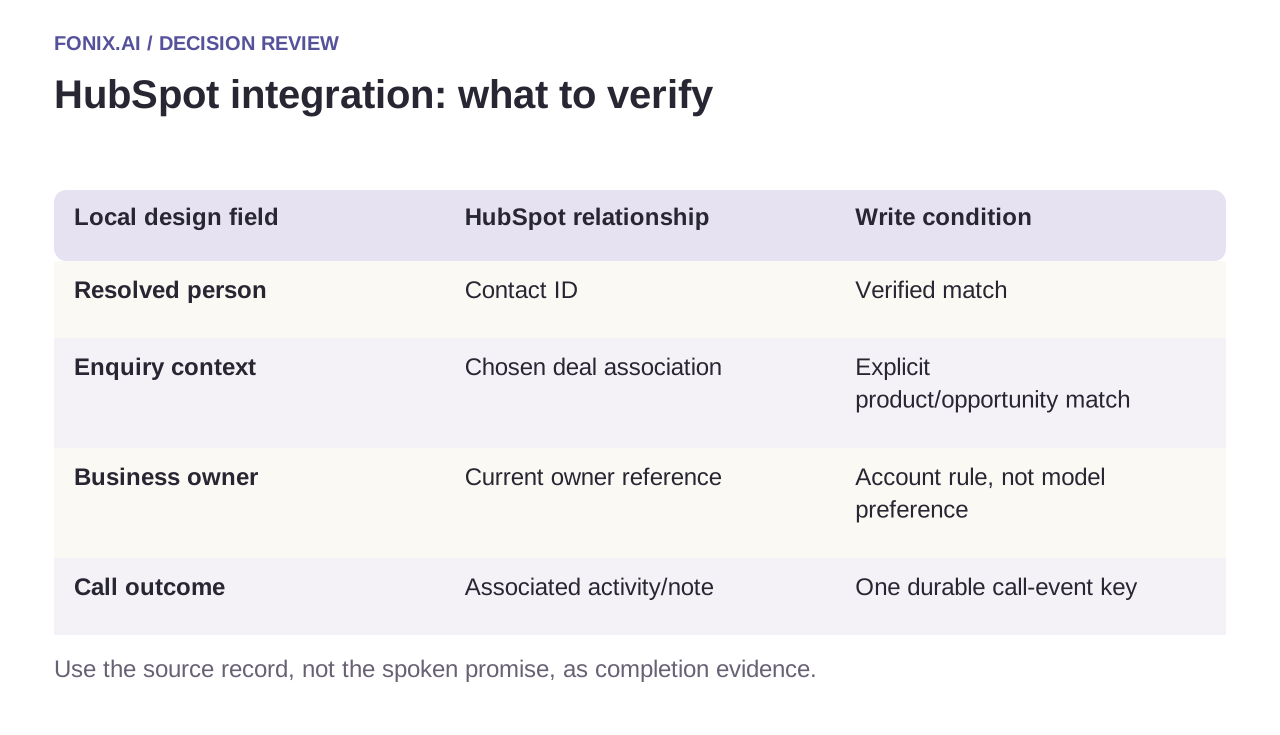
| Local design field | HubSpot relationship | Write condition |
|---|---|---|
| Resolved person | Contact ID | Verified match |
| Enquiry context | Chosen deal association | Explicit product/opportunity match |
| Business owner | Current owner reference | Account rule, not model preference |
| Call outcome | Associated activity/note | One durable call-event key |
Make retries produce one business outcome
Keep an integration ledger keyed by tenant, call and action type. A retried completion event should find the already written activity instead of creating another. Do not assume a local event ID automatically provides HubSpot-wide idempotency.
If a write times out, reconcile through your stored mapping before retrying. If a salesperson changes the deal during the call, re-read the relevant state and apply the approved conflict rule. A language model should not overwrite a human's stage change simply because its summary arrived later.
A HubSpot association and retry acceptance sheet
Use a HubSpot test account with one contact, two companies or deals and restricted app access. Document permitted objects, internal field names and the association rules. Keep these mappings separate from the model's conversational instructions.
| Pilot case | Required behaviour |
|---|---|
| One contact has two active deals | Attach the call and task to the explicitly resolved opportunity, not the first search result. |
| The outcome event is delivered twice | Reuse the persisted activity result rather than creating a second note or follow-up. |
| A salesperson changes the stage mid-call | Apply the agreed current-state conflict rule; do not blindly overwrite the human edit. |
Count correctly associated activities and actionable follow-ups divided by eligible completed calls. Include denied writes and records requiring manual repair. An HTTP success response does not prove that the activity belongs to the right deal.
Does this page mean Fonix has a certified HubSpot app?
No. This guide defines an integration design and acceptance criteria. Confirm connector availability, supported operations and account permissions in the actual deployment. A platform API reference establishes an interface, not a Fonix partnership or certification.
Prove the association in a sandbox
Test a shared number, duplicate contacts, two deals, revoked access and a repeated webhook. Inspect the actual record and association, not just a successful HTTP response. Count correctly associated activities and accepted follow-up tasks; keep permission failures and manual reconciliation visible.
Bring a sanitised contact/deal map and your permitted actions to review HubSpot voice calling. Lead qualification defines the sales brief; function reliability covers unknown write results. API references checked 15 October 2026; validate the version and scopes used by your app.