

A practical guide / Fonix.AI
Odoo integration: design and pilot guide
A worked scenario, illustrated decision review and a practical pilot worksheet.
Odoo voice integration begins with version and access
An Odoo AI voice agent integration can connect a conversation to CRM enquiries, quotation requests or service operations. The first implementation decision is which Odoo version, hosting plan, modules and external interface the organisation actually uses. Those choices determine the available records and allowed actions.
This Fonix.AI guide defines a version-aware integration review. It does not claim that every Odoo installation exposes an identical API or that a quotation can always be confirmed automatically.
Separate lead, customer, quotation and order
Map the workflow's business objects explicitly. A CRM enquiry, a customer/partner record and a sales quotation have different meanings. Preserve the company context where the installation serves several companies, and restrict the integration account using the deployment's actual access rules.
Odoo's 19.0 external API documentation documents its JSON-2 interface and access conditions. Verify the interface supported by the deployed version rather than combining an old RPC tutorial with a new endpoint. Keep authentication and API keys in the server-side connector.
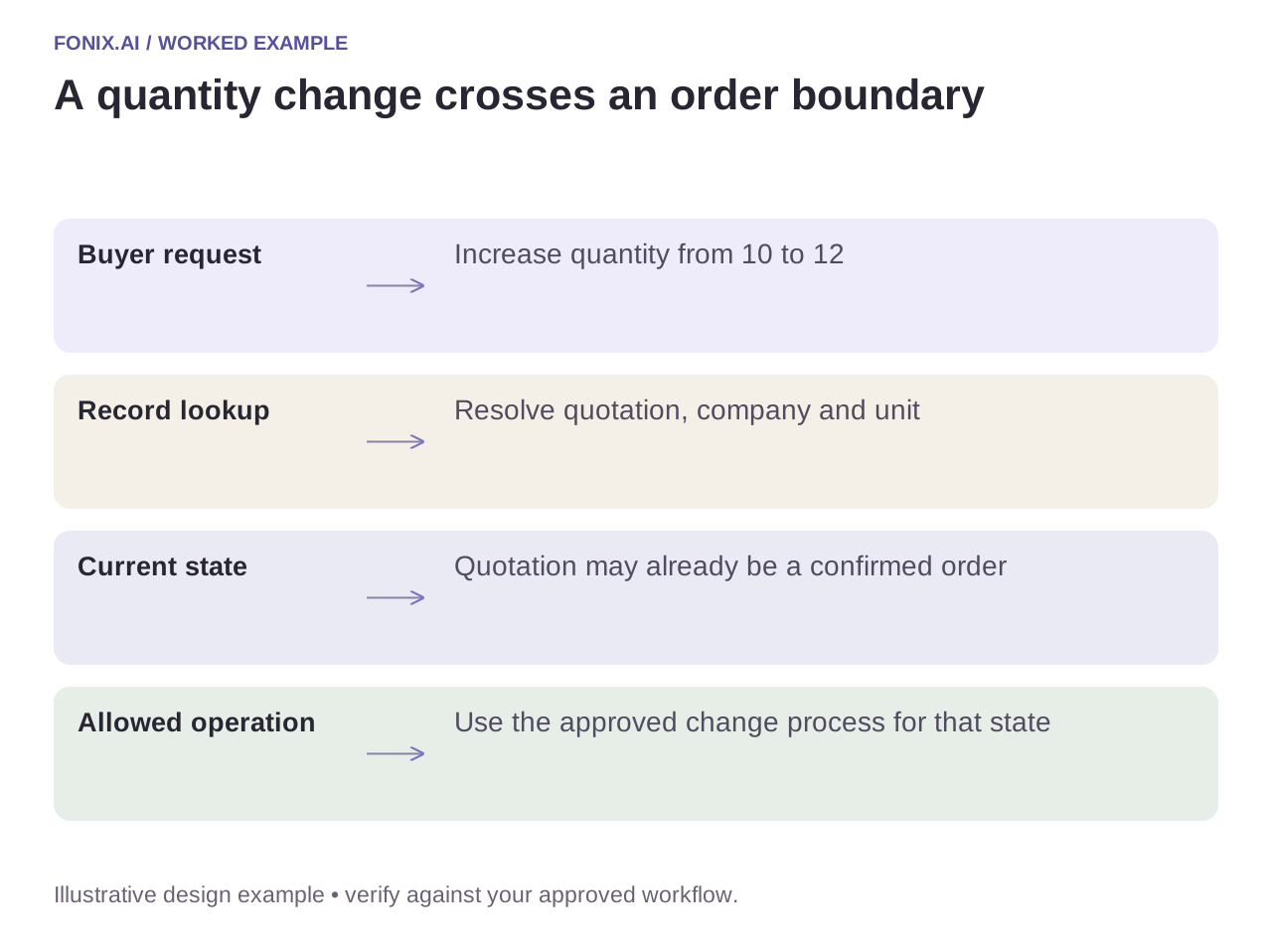
Worked example: a buyer requests a revised quantity
A fictional customer asks to increase a quotation from ten units to twelve. The call should resolve the correct quotation, unit of measure, company and current status. If the quotation has already become a confirmed order, the permitted change process may differ from editing a draft.
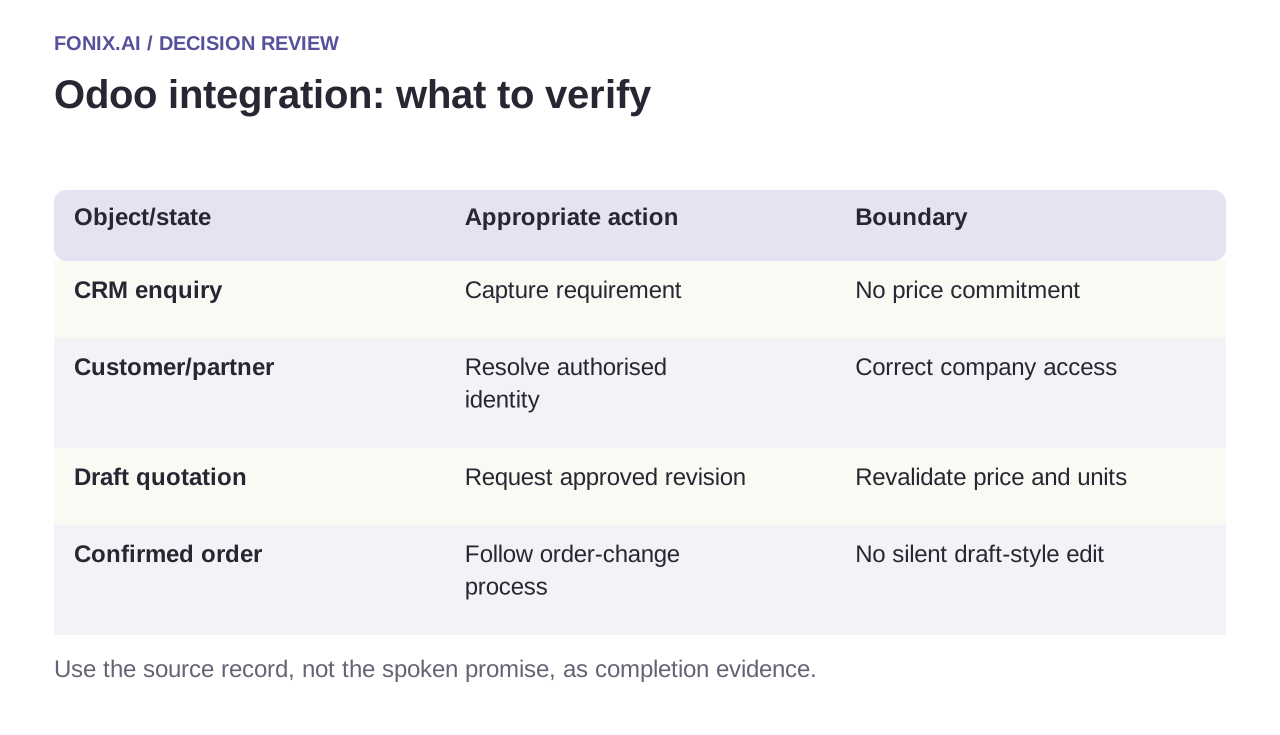
| Object/state | Appropriate action | Boundary |
|---|---|---|
| CRM enquiry | Capture requirement | No price commitment |
| Customer/partner | Resolve authorised identity | Correct company access |
| Draft quotation | Request approved revision | Revalidate price and units |
| Confirmed order | Follow order-change process | No silent draft-style edit |
Put the business transaction in one authorised operation
Avoid assembling a consequential order change from unrelated calls that assume the state remains unchanged. Design a server-side operation that validates the current record, applies the permitted change and returns a reference. If the environment requires approval, return a review request rather than a fabricated confirmation.
Reconcile unknown results before retrying. A lost response after order acceptance can otherwise create duplicate orders or repeated chatter entries. Log action identity and resulting record references without exposing private customer data or credentials in general application logs.
An Odoo version-and-transaction readiness sheet
Identify the deployed Odoo release, hosting/API access and installed modules. Use a test database with multiple companies, quotation revisions and restricted products. Obtain an approved transaction boundary from the ERP owner.
| Pilot case | Required behaviour |
|---|---|
| A caller changes quantity after the quote was confirmed | Use the authorised order-change path rather than editing it as a draft. |
| A product belongs to another company context | Reject or route the request under the actual user's company permissions. |
| The order result is unknown after a timeout | Reconcile the durable request reference before submitting another order. |
Score correct record type, company, item, unit and accepted transaction state. Include downstream stock, invoice or workflow effects in review. Successful authentication or chatter creation is not proof of a completed sales process.
Is there one API recipe for every Odoo installation?
No. Release, hosting plan, modules and custom business logic affect the supported interface. Pin the deployed documentation and demonstrate access in that environment. This guide supplies design questions, not a universal working connector or executable recipe.
Test under the real module configuration
Use multiple companies, a changed quotation, a restricted product and an expired integration credential. Verify the actual Odoo record and any stock, invoice or workflow side effects. A successful API login alone does not establish a usable order process.
Review an Odoo voice workflow with your deployed version and a sanitised record map. Manufacturing intake covers specification capture; function reliability covers transaction results. Documentation checked 15 October 2026; recheck release-specific interfaces before implementation.