

A practical guide / Fonix.AI
Voice bot for customer support: lookups, tickets and useful human handoff
Workflows, exceptions and the questions to ask before deployment.
Resolve the issue from a trusted source
A voice bot for customer support answers routine questions, retrieves permitted account information and routes unresolved requests to a person. A useful support workflow produces a verified answer or an actionable ticket. It should not report a refund, replacement or account change unless the relevant system confirms that action.
Choose one issue family for the first pilot, such as order status or a published service policy. Identify the source of truth, access rules and escalation owner. Avoid starting with every support topic: each additional task introduces different verification requirements, tool permissions and failure cases.
Fonix.AI provides voice conversations in Indian languages and supports business workflows. Confirm your specific knowledge, account-system and helpdesk connections with the team. The architecture below is an evaluation design, not a claim that every named support product has a ready-made connector.
Classify the request before looking up private details
Begin by identifying the business and automated assistant, then let the caller explain the issue. A general policy question and an account-specific question need different information. Someone asking for store hours should not have to provide an order number first.
Use an agreed set of issue categories to route the conversation, but preserve the caller's actual question. “Delivery problem” can mean an order has not dispatched, a package is delayed or an item arrived damaged. Those are different source lookups and different next actions.
Ask a short clarification when the category is uncertain. After repeated misunderstanding, offer the configured human route. A bot should not loop through the same question simply because its classifier needs an answer.
Allow the caller to request a person. Confirm transfer availability and the alternative when nobody is available. A promise to transfer is not a completed transfer; test the staffed destination and the timeout behaviour.
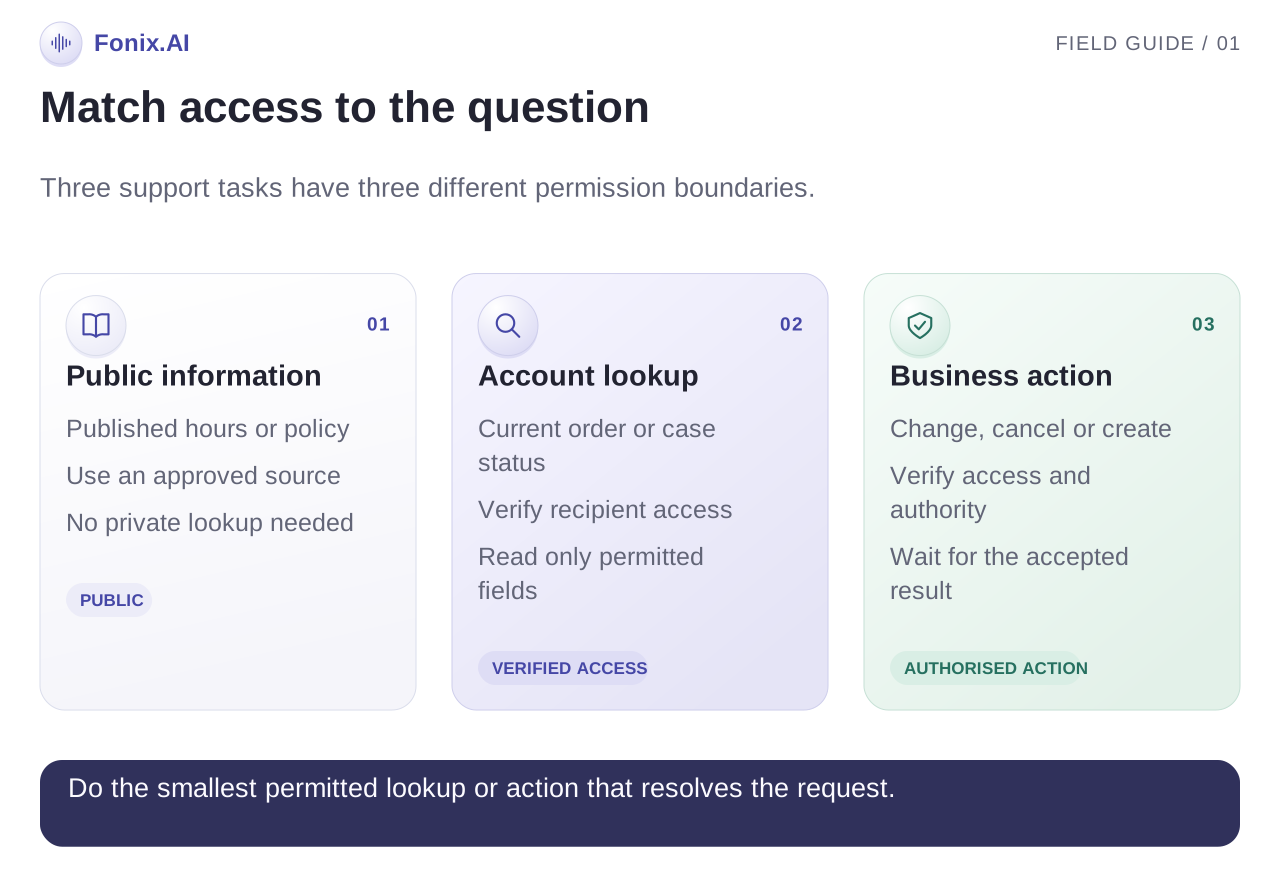
Separate public answers, account lookups and permitted actions
Create a task matrix with your support team. It should state which information can be read, what verification is needed and whether the assistant may change anything.
| Task | Approved source | Permission boundary | Useful result |
|---|---|---|---|
| Opening hours or published policy | Current business knowledge source | Public information | Answer with the relevant condition |
| Order or ticket status | Account-linked system record | Approved recipient verification | Current status and next step |
| Change a delivery preference | Order system | Verified recipient and allowed state | Confirmed update or review request |
| Refund or replacement request | Support policy and authorised workflow | Case-specific review where required | Ticket or confirmed permitted action |
| Complaint or repeated failure | Helpdesk and escalation policy | Appropriate staff access | Owned escalation with context |
Agree how the system identifies an account and verifies the recipient. A caller knowing an order number is not automatically authorised to hear every detail about that order. Test the actual approved process rather than designing verification from assumptions.
Limit tool permissions to the tasks in the pilot. A status-lookup workflow does not need broad write access. Keep information returned by tools scoped to the conversation so unnecessary account fields do not enter a transcript.
Answer the question the source actually supports
For general answers, maintain an approved knowledge set with owners and update dates. Version policy changes so a refund rule from last quarter does not silently remain in the answer source. If two documents disagree, route the conflict for review instead of combining them into a new policy.
For account questions, read the current record and distinguish a known status from a prediction. “Dispatched” and “will arrive tomorrow” are different claims. Give an estimated date only when the source explicitly supports it, and explain the approved limitation where necessary.
Repeat critical values clearly: order references, dates, amounts and branch names. Let the caller correct them before proceeding. An interruption may contain the exact fact needed to avoid looking up the wrong record.
If a lookup fails, explain that the information cannot currently be verified and offer the configured next step. Do not replace a failed lookup with a confident answer generated from similar past cases.
A failed lookup can still produce a useful ticket
This is an illustrative order-status call. No customer result or integration is implied.
Caller: Mera parcel abhi tak nahi aaya. Tracking link bhi nahi chal raha.
Assistant: You are asking about a delayed parcel and a tracking link that is not working. I will follow our verification process before checking the order.
Assistant, after an unavailable lookup: I cannot verify the current delivery status right now. I can send this issue to the support team with the order reference and the tracking-link problem. Would you like me to create that request?
If ticket creation succeeds, give the confirmed reference and approved expectations. If the write fails or its result is unknown, explain the configured fallback without inventing a reference number.
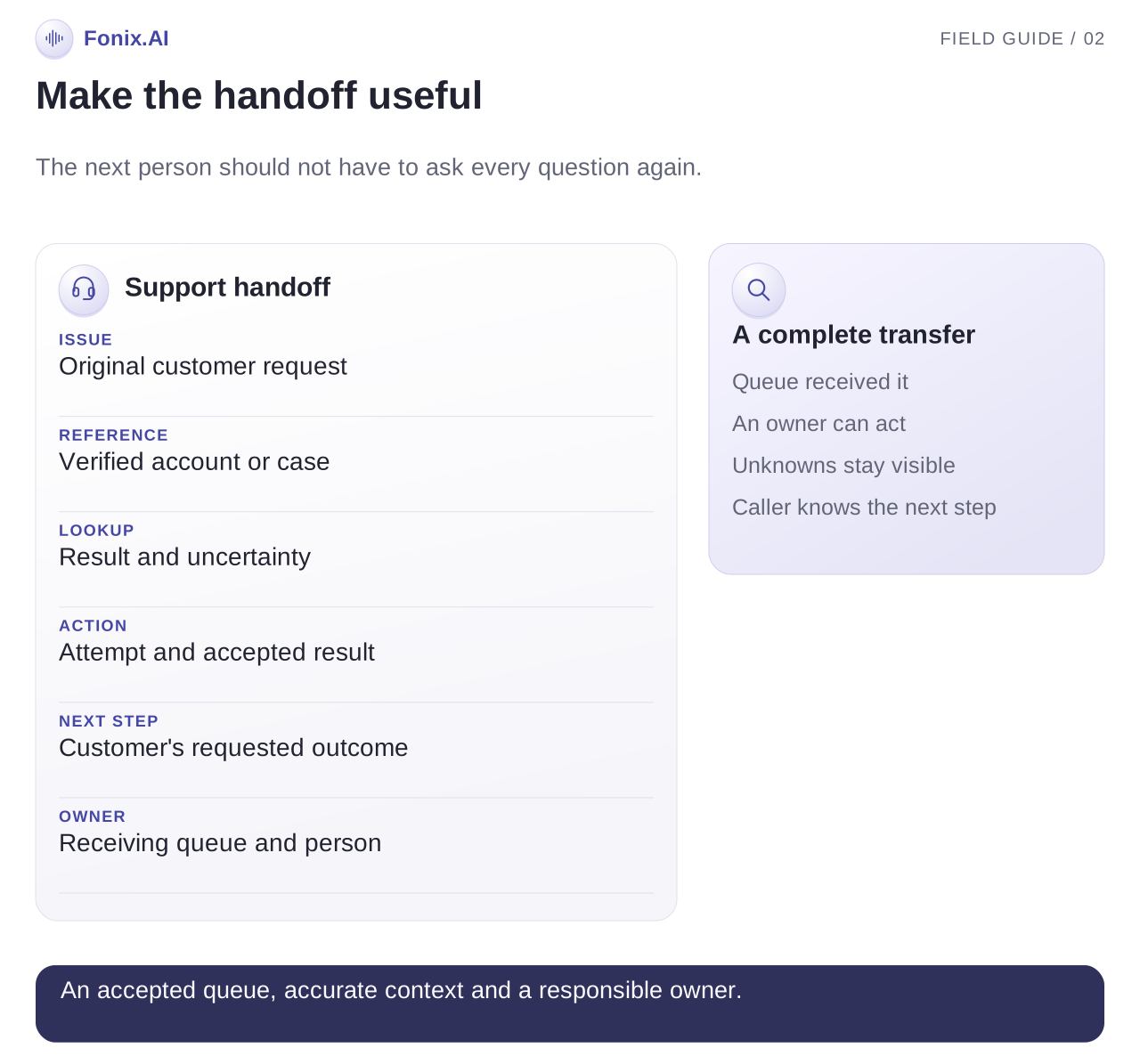
A suggested handoff record contains the verified account reference, issue summary, relevant source status, attempted tool action, its confirmed result, customer's requested next step and receiving queue. These are design fields, not a published Fonix schema. Preserve uncertainty so the next agent does not treat an attempted action as completed.
Make escalation a workflow with an owner
Specify which queues accept billing, delivery, technical or general complaints. Route on the issue and required authority, rather than inferred emotion or personal characteristics. If a person is upset, use a clear handoff instead of repeatedly offering the same generated explanation.
For live transfers, test whether the receiving agent gets context and what happens when the line is busy. For callbacks, name the responsible queue and use only an approved response-time statement. Record whether the queue accepted the task.
Use a deduplication rule when a caller contacts support repeatedly about the same unresolved issue. Appending context to an existing case can be more useful than opening another ticket. The helpdesk's own ownership and merge rules should control this behaviour.
The conversational AI and IVR guide covers call-routing choices and known fallbacks. The COD confirmation guide describes the separate pre-dispatch decision flow.
Test resolution, access and recovery separately
| Test | Expected behaviour | What to inspect |
|---|---|---|
| Caller fails account verification | No account detail disclosed | Verification outcome and permitted fallback |
| Knowledge documents conflict | Review or handoff | Source versions and exact conflicting rule |
| Status API is unavailable | Explain uncertainty and offer a next step | Lookup result and escalation context |
| Ticket write times out | Check the operation before retrying | Confirmed ticket reference or explicit unresolved result |
| Caller has an existing open case | Follow helpdesk deduplication policy | Existing case and appended context |
| Transfer destination is busy | Offer the configured alternative | Transfer result and callback ownership |
Include language switching, unclear order references and a caller interrupting with a correction. Check each final record against the source system. A pleasant call can still produce an incorrect or unauthorised result.
Measure support resolution rather than apparent containment
Count eligible issues, verified answers, successful actions, accepted tickets, completed handoffs and unresolved cases. Define resolution using evidence from the task, rather than assuming that a call ending without transfer means success.
Review repeat contacts for the same issue within a defined window. A bot can appear to contain a high share of calls while customers call again because the answer did not help. Look at repeated issues, wrong answers and reopened tickets alongside handling time.
Segment results by issue and language. Include sampled record review and caller feedback where available. Cost calculations should include manual follow-up and integration operation, not just conversation minutes.
Request a support lookup demo with one frequent issue, an approved source and a failure case. Agree the evidence that proves resolution before expanding the support scope.