

A practical guide / Fonix.AI
WooCommerce integration: design and pilot guide
A worked scenario, illustrated decision review and a practical pilot worksheet.
WooCommerce voice integration must account for plugins and payment races
A WooCommerce AI voice agent integration should use the store's actual order states, payment configuration and extension behaviour. Two stores running WooCommerce can expose different operational rules because fulfilment, subscriptions and payment gateways add their own transitions.
Use Fonix.AI to evaluate one store and one bounded action, such as an order-status enquiry or change request. A REST API being available does not establish that a ready-made connector supports every installed plugin.
Resolve the order through the approved identity flow
Map the customer-facing reference to the order ID used by the API. Verify access before reading addresses or purchase details. Keep line-item IDs, quantities, payment state and fulfilment state separate; the order label alone may not describe all of them.
The official WooCommerce webhook reference documents event delivery and signatures. Validate the signature over the original request body in the receiver. Store credentials server-side and use only the access needed for the scoped workflow.
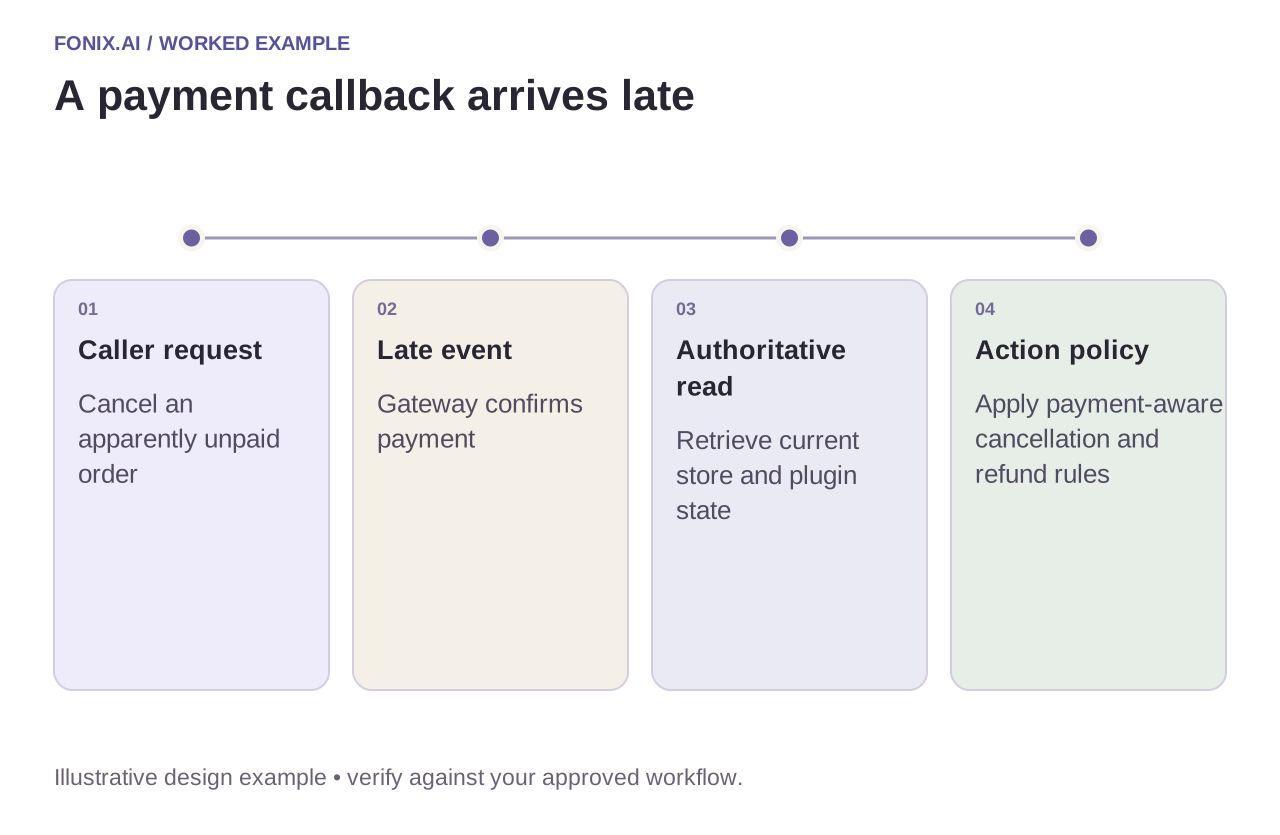
Worked example: payment arrives after a cancellation request
A fictional caller asks to cancel while a gateway's payment notification is delayed. The call snapshot appears unpaid, but a later event confirms payment. The integration must re-read the order and apply the merchant's payment-aware cancellation process. It should not overwrite the payment state using an old snapshot.
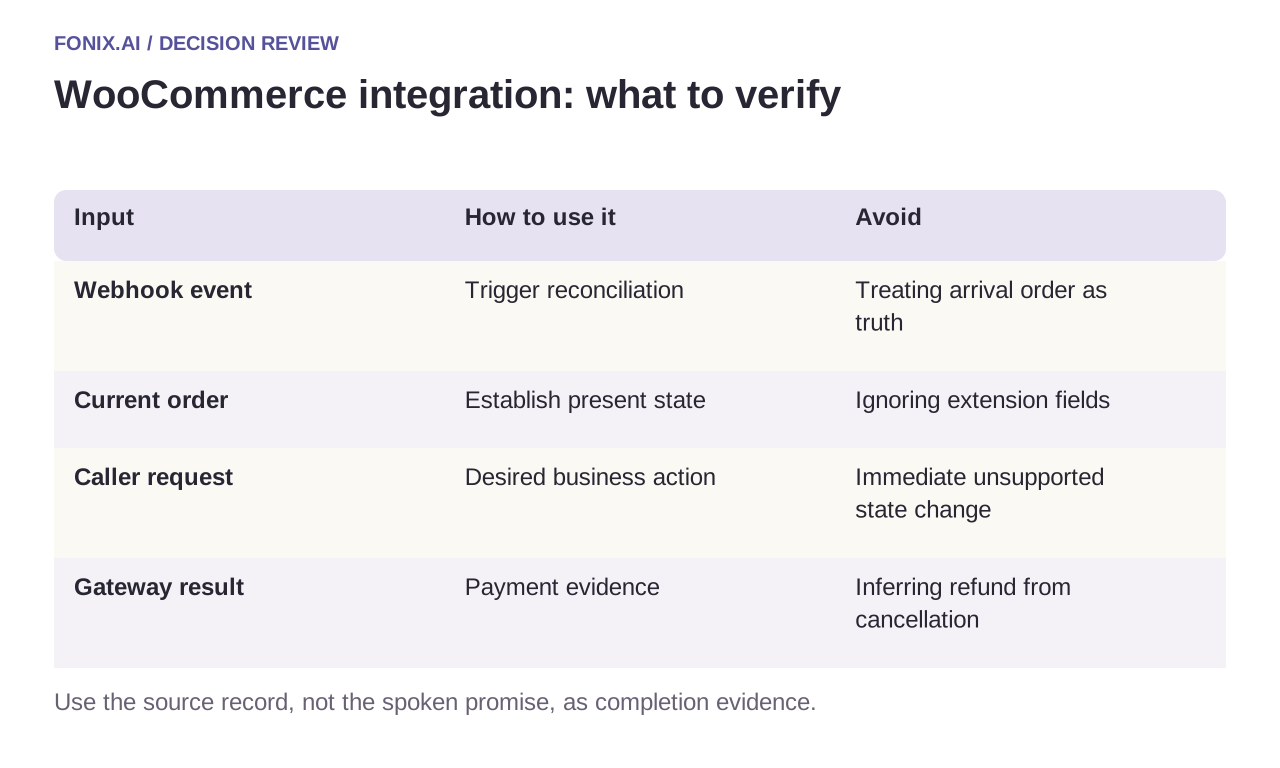
| Input | How to use it | Avoid |
|---|---|---|
| Webhook event | Trigger reconciliation | Treating arrival order as truth |
| Current order | Establish present state | Ignoring extension fields |
| Caller request | Desired business action | Immediate unsupported state change |
| Gateway result | Payment evidence | Inferring refund from cancellation |
Use one action ledger across repeated webhooks
Maintain event and action references outside a transient workflow run. A retried webhook must not create another call, refund request or customer message. If an action times out, record an unknown result and reconcile before repeating it.
Document the installed extensions that can affect the workflow and rerun tests after material changes. A status-intake pilot can be deliberately read-only while the business reviews write authority. Make that boundary clear in the spoken result and the receiving team's record.
A plugin-aware WooCommerce acceptance worksheet
Use a development store matching the production plugin and gateway configuration. Provide synthetic delayed-payment and partial-refund examples. Establish signature verification, credential scope and the permitted order actions.
| Pilot case | Required behaviour |
|---|---|
| Payment completes after cancellation intake | Re-read the order and apply the merchant's payment-aware decision before writing. |
| A webhook is redelivered | Recognise the existing event/action and avoid another call or refund request. |
| An extension introduces a custom state | Map its real meaning and side effects before allowing the agent to act on it. |
Track correct status answers and reconciled intended actions, with duplicates and unsupported refund promises separated. Compare order history with gateway evidence. A received webhook or HTTP acknowledgement alone does not prove the customer's request was fulfilled.
Can a generic integration ignore installed extensions?
No. Fulfilment, subscriptions and payments may add business rules beyond core order fields. Start read-only if those effects are not yet understood, then test each approved write on the configuration the merchant actually operates.
Test the store configuration you will operate
Use a delayed payment, partial refund, plugin-specific state and repeated delivery. Verify order history and gateway records together. Measure correct answers and reconciled actions, including exceptions, rather than counting webhook acknowledgements as completed work.
Review WooCommerce voice integration with a development-store example and installed-plugin list. Returns by voice defines the item-level return record; n8n automation covers durable workflow state. Official webhook reference checked 15 October 2026.