

A practical guide / Fonix.AI
Zendesk integration: design and pilot guide
A worked scenario, illustrated decision review and a practical pilot worksheet.
Zendesk voice integration should improve the existing ticket
A Zendesk AI voice agent should identify the requester, locate the relevant ticket and add an accurate outcome without creating a parallel support history. The same caller can have several issues; a phone match does not establish which ticket needs the update.
Evaluate Fonix.AI with one ticket workflow and the actual Zendesk permissions and triggers. This is an integration design, not a claim that every Zendesk account already has an installed Fonix connector.
Separate requester identity, ticket access and comment visibility
Resolve the authorised user and the ticket they mean. Decide which information may be spoken and whether the written outcome should be a public comment or an internal note. A summary containing internal troubleshooting or private context must not accidentally become a customer-visible message.
Zendesk's ticket creation and update guide describes ticket updates and safe-update handling. Use supported concurrency controls where appropriate and inspect the account's actual status and assignment configuration.
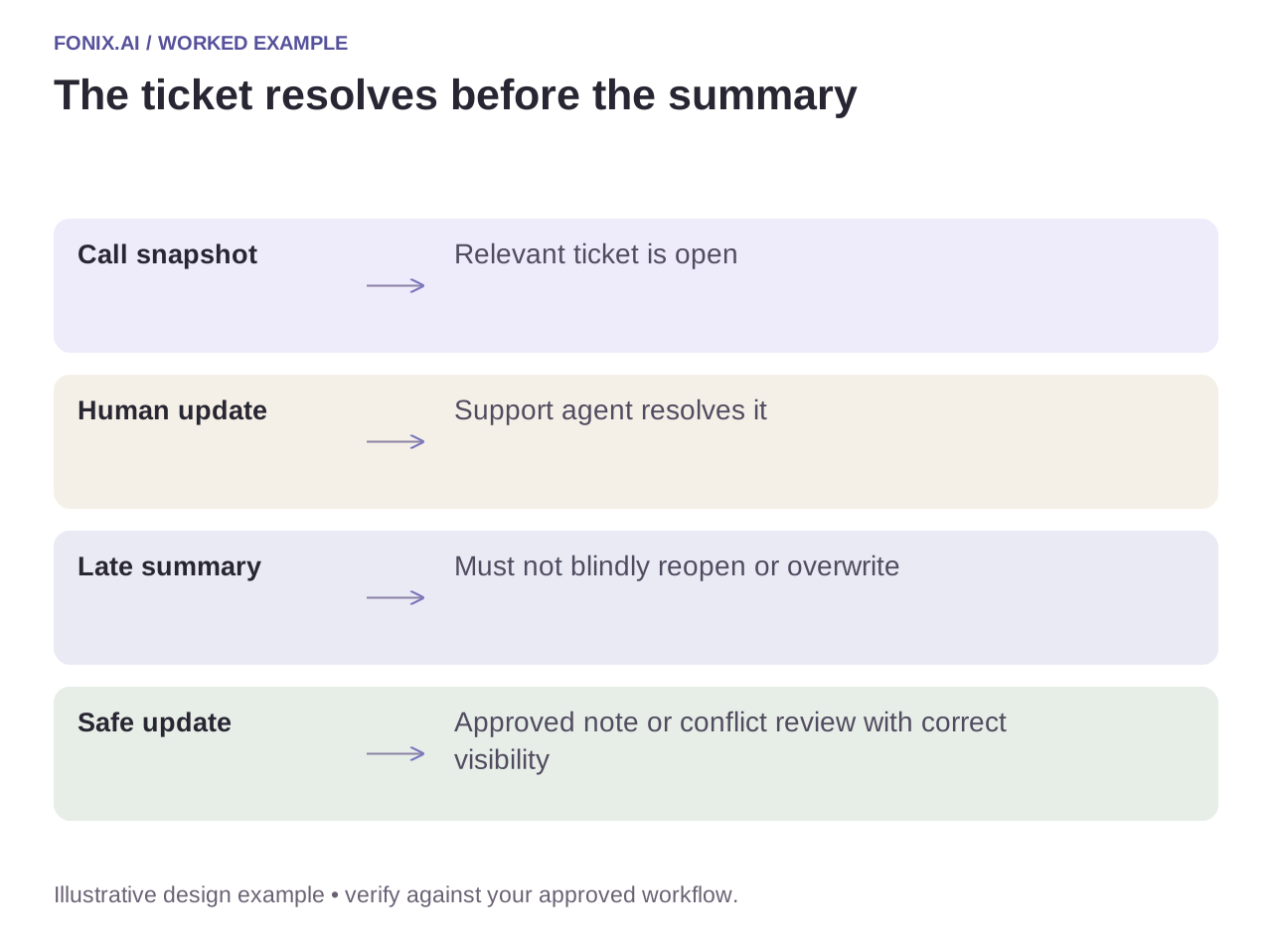
Worked example: the human agent resolves the ticket first
A fictional voice call begins on an open ticket. A human agent resolves it before the post-call summary is written. A blind update could reopen the ticket or overwrite newer details. Re-read the record and apply the approved rule: append an appropriate note, request review or create a distinct follow-up only when justified.
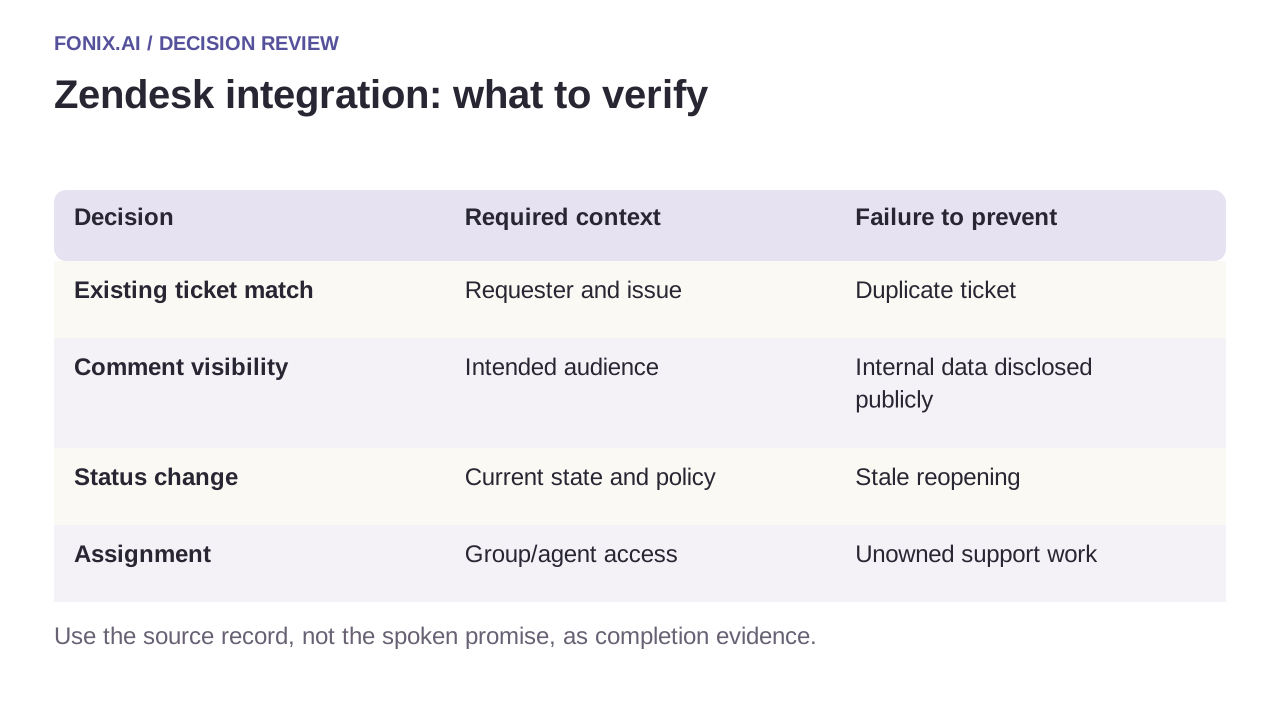
| Decision | Required context | Failure to prevent |
|---|---|---|
| Existing ticket match | Requester and issue | Duplicate ticket |
| Comment visibility | Intended audience | Internal data disclosed publicly |
| Status change | Current state and policy | Stale reopening |
| Assignment | Group/agent access | Unowned support work |
Prevent triggers from starting another loop
List the triggers that respond to your proposed updates. Mark integration-origin events through an approved field or mapping so an automation does not react to its own output indefinitely. Do not suppress legitimate human updates merely because they follow an AI call.
Retain the call-to-ticket action reference and each created comment/result. After a timeout, reconcile before adding another note. Keep the spoken customer promise aligned with the actual ticket action: “I recorded the request” is different from “an engineer accepted the visit”.
A Zendesk visibility and concurrency review
Use synthetic tickets with public comments, internal notes and competing human updates. Review triggers, assignments and supported safe-update controls with the Zendesk administrator. Test as both an agent and the customer.
| Pilot case | Required behaviour |
|---|---|
| A summary contains internal troubleshooting context | Use the approved restricted note path; verify the customer's visible history. |
| A human resolves the ticket before the voice update | Apply the explicit conflict rule instead of blindly reopening it. |
| A delayed completion event is replayed | Reuse the existing comment/action reference and avoid another customer notification. |
Score correct ticket association, intended visibility and accepted next ownership. Track accidental public disclosure, stale reopening and duplicate comments separately. A shorter call does not compensate for an unreliable support record.
Should the agent always create a new ticket?
No. Resolve the authorised requester and intended issue, then apply the support team's linking or new-case policy. Creating a parallel history for an existing open problem can duplicate workload and hide the most recent human action.
Test as both customer and receiving agent
Use an ambiguous ticket, an internal note, a resolved-ticket conflict and a repeated event. Inspect customer-visible history as well as agent views. Measure accurate ticket association and actionable handoffs; reduced call duration is secondary to a trustworthy case record.
Review a Zendesk voice workflow with sanitised ticket fields and trigger rules. Support workflow design covers the brief, while access-control logs cover action evidence. Official guide checked 15 October 2026.