

A practical guide / Fonix.AI
Insurance claims intake: a practical implementation guide
A worked scenario, illustrated decision review and a practical pilot worksheet.
An insurance claims voice bot should capture facts without deciding coverage
An insurance claims voice bot can collect a reported incident, identify missing documents and create an owned intake record. It should not infer coverage, approve a claim or promise a settlement because a caller's description sounds plausible.
Evaluate Fonix.AI with an insurer-approved first-notice workflow and authorised staff route. This guide concerns claim intake. Policy expiry and continuation belong in the renewal calling guide. Actual policy-system access and permitted wording require deployment review.
Preserve reported facts and their source
Resolve the caller's authority through the approved process before discussing private policy information. Record incident date, location, reported event and the caller's own account separately from any later investigation. Do not fill unknown fields with likely values.
Use the insurer's approved document checklist for the claim category. A requested document, a submitted file and an accepted document are different states. When a caller cannot provide something, record the reason and route the question rather than invent an exception.
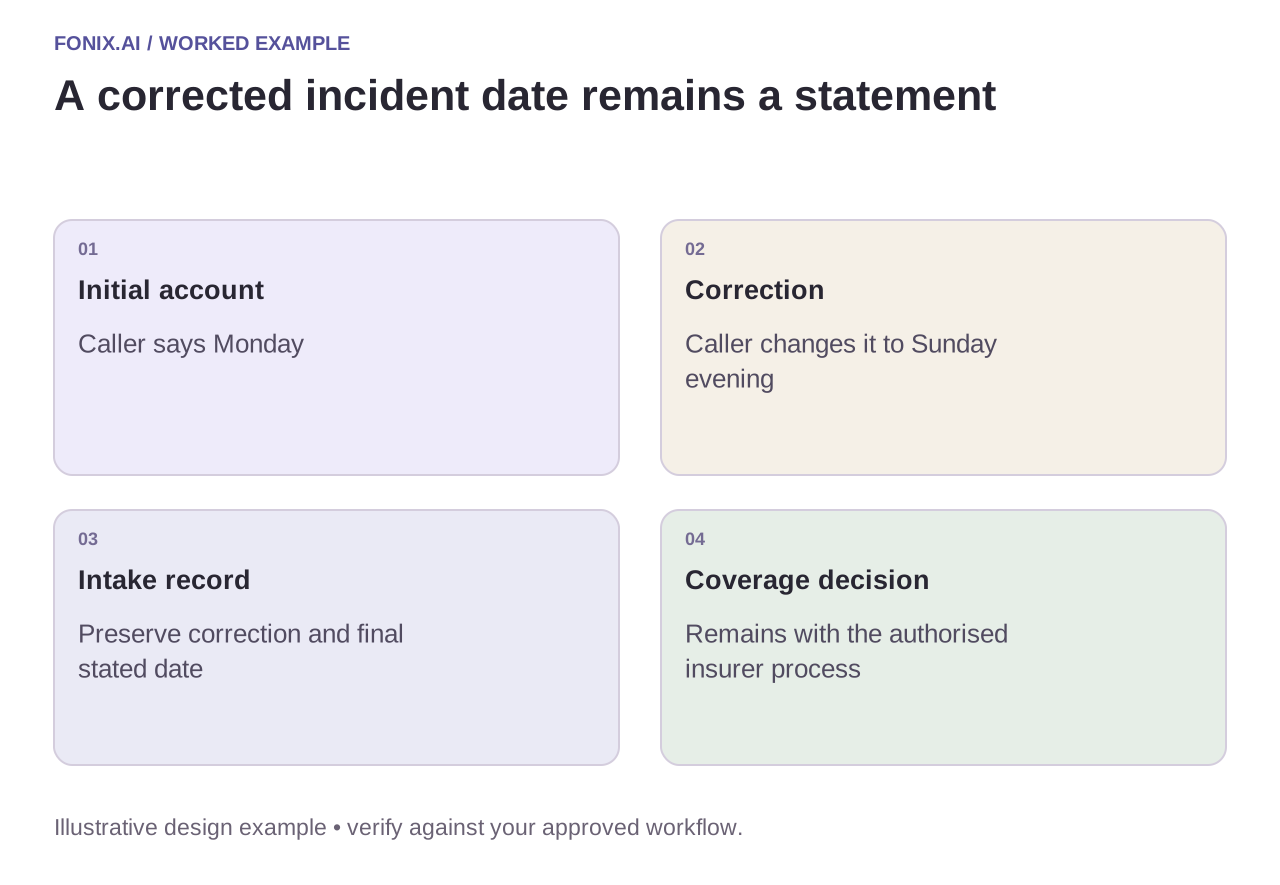
Worked example: the caller corrects the incident date
A fictional policyholder initially says an incident occurred on Monday, then corrects it to Sunday evening. Preserve the correction and final stated date. Do not let the agent choose the date that appears more convenient for a policy period, or describe the correction as an investigation finding.
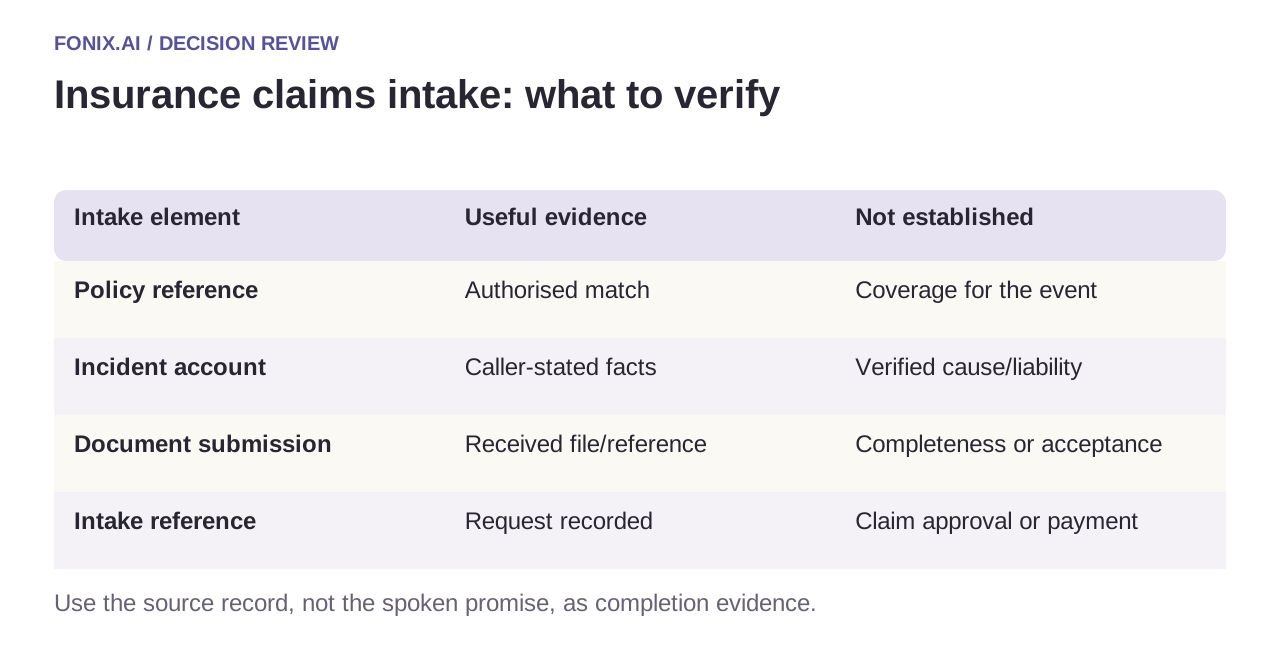
| Intake element | Useful evidence | Not established |
|---|---|---|
| Policy reference | Authorised match | Coverage for the event |
| Incident account | Caller-stated facts | Verified cause/liability |
| Document submission | Received file/reference | Completeness or acceptance |
| Intake reference | Request recorded | Claim approval or payment |
Give the next team a traceable handoff
Include the stated facts, corrections, missing items and receiving owner. Keep urgent reports on the insurer's approved route; do not improvise emergency, medical or financial advice. If the claim system is unavailable, describe the actual request state and fallback instead of issuing a fabricated claim number.
Link repeat calls to the existing intake. A duplicate document event should update the same record, not start another claim. Protect sensitive incident details in transcripts, exports and notifications according to the deployment's access and retention policy.
A claims-team fact-and-evidence acceptance sheet
Use synthetic policy references and incident reports with corrections and missing evidence. The insurer should approve intake wording, identity requirements and escalation. Keep decisions on coverage, liability and payment with its authorised process.
| Pilot case | Required behaviour |
|---|---|
| The caller corrects the incident date | Preserve the correction and final stated value without selecting a convenient policy-period date. |
| Documents are received but not reviewed | Report receipt and outstanding review separately. |
| The caller requests an immediate coverage decision | Explain the intake boundary and route to the authorised claim team. |
Score accurately captured, correctly linked intake facts and owned missing-work follow-ups. Track unsupported approval statements and repeated explanation caused by incomplete handoffs. A recorded request is not a verified event or an accepted claim.
Can an intake agent tell the customer what caused the incident?
It should record the customer's description and source of each statement. Investigation, causation and liability decisions belong to the insurer's authorised workflow. Keep interpretations and missing evidence explicit rather than converting a fluent summary into a finding.
Evaluate accuracy and missing-work ownership
Test a corrected date, an authorised representative, a repeated intake and an unavailable policy record. Compare the written intake with the call. Track accurate fact capture, accepted handoffs and unnecessary repeat questions. Keep unsupported coverage promises as explicit failures.
Review an insurance claims intake workflow with approved questions and sanitised examples. Caller verification defines access; function reliability handles unknown intake writes.