

A practical guide / Fonix.AI
LeadSquared integration: design and pilot guide
A worked scenario, illustrated decision review and a practical pilot worksheet.
LeadSquared AI calling needs one lead event, not a trigger loop
LeadSquared AI calling should attach the conversation to the correct lead, record the intended activity and assign a useful next owner. The key design risk is automation: one outcome write can trigger a second workflow, which starts another call and writes another outcome.
Evaluate Fonix.AI with a documented LeadSquared event path and a bounded set of writes. This page provides a mapping and acceptance-test design; confirm the supported integration and account-specific configuration before treating it as available.
Define lead identity and activity meaning
Map your enquiry reference to a stable LeadSquared lead identifier. Decide how duplicate forms, imported leads and updated phone fields are reconciled. Preserve source and ownership rather than replacing them with generic values from the latest call.
Use the account's configured activity types and fields. The LeadSquared API documentation is the starting point for the implementation's lead and activity operations. Confirm endpoint region, required permissions and schema for the actual account; do not copy a demonstration payload into an unrelated configuration.
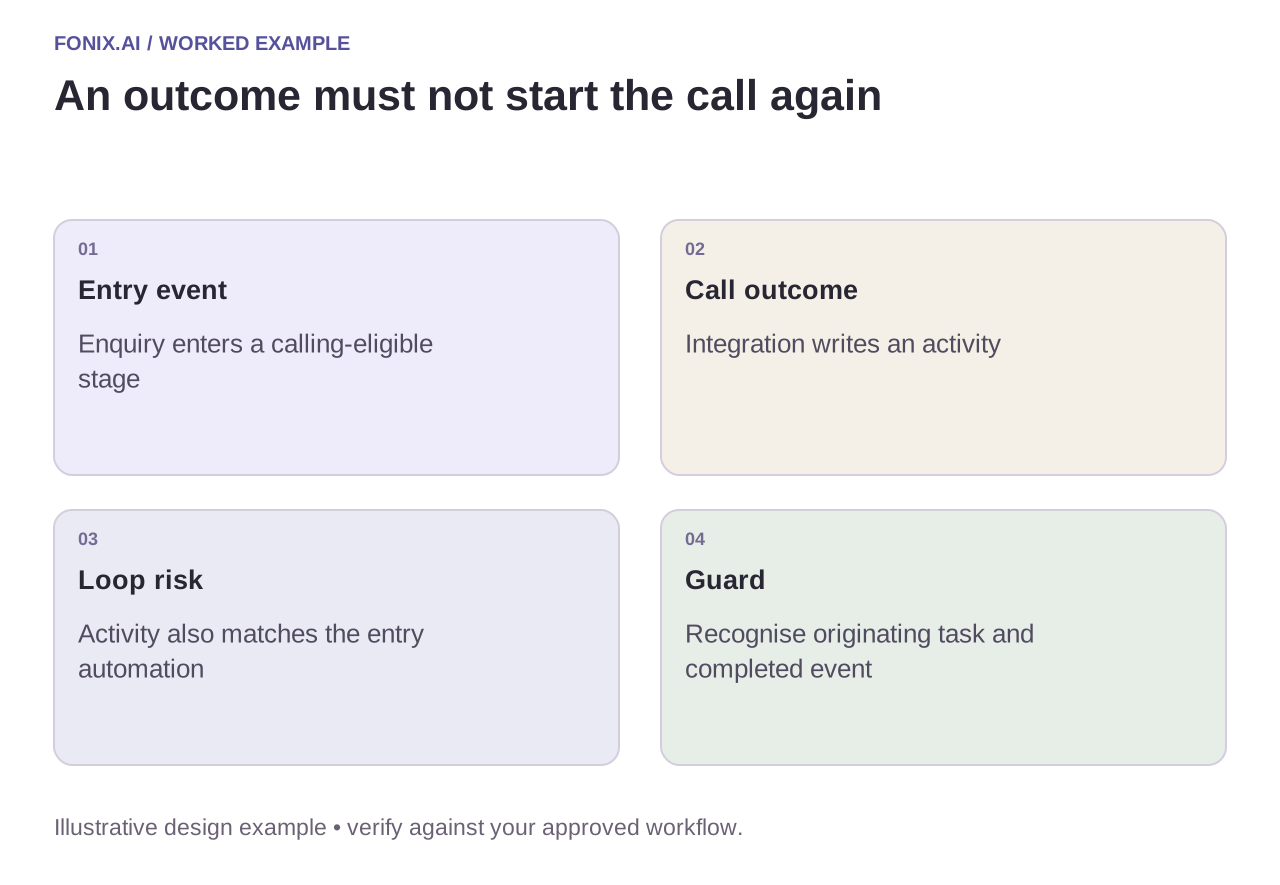
Worked example: an activity starts the same campaign again
A fictional workflow calls when an enquiry enters a counselling stage. Completion writes an activity that also satisfies the stage automation's entry condition. Without a guard, the next call starts immediately. Store the initiating event and completed task in a durable ledger, and configure the downstream automation to distinguish outcome updates from new eligible enquiries.
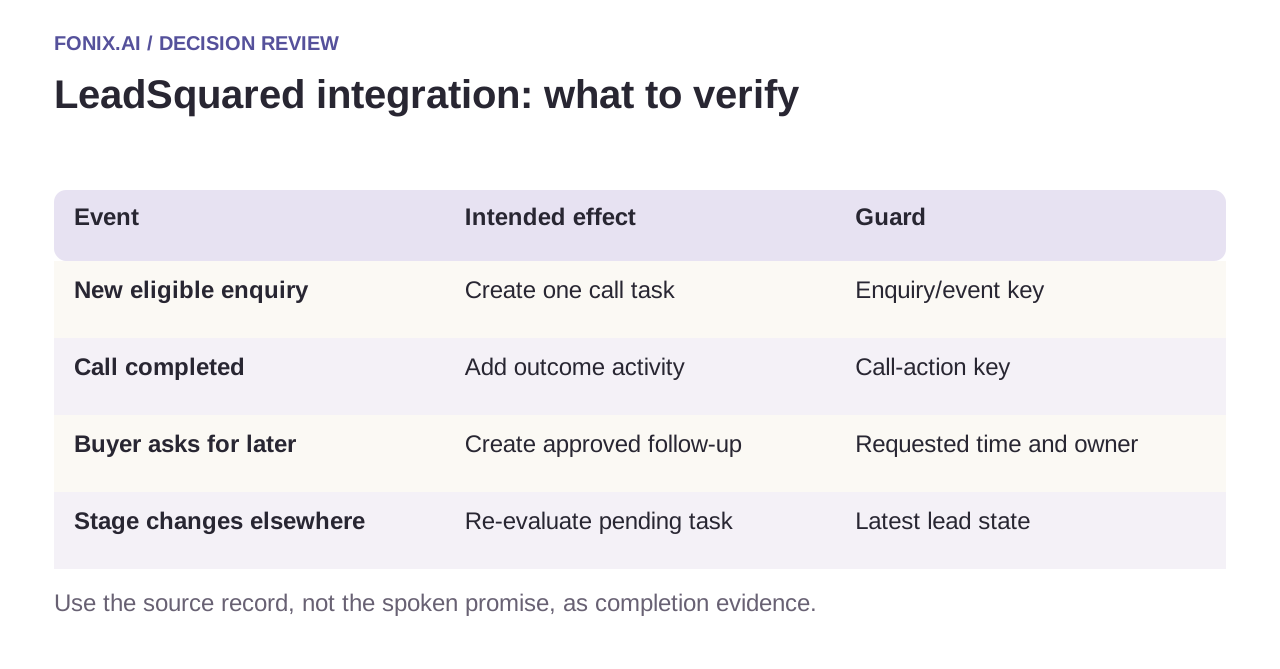
| Event | Intended effect | Guard |
|---|---|---|
| New eligible enquiry | Create one call task | Enquiry/event key |
| Call completed | Add outcome activity | Call-action key |
| Buyer asks for later | Create approved follow-up | Requested time and owner |
| Stage changes elsewhere | Re-evaluate pending task | Latest lead state |
Separate buyer statements from lead-stage decisions
Record what the person said, what remains unknown and what action they accepted. An interested response should not automatically become a qualified or admitted status unless the business has defined and authorised that transition.
If a write fails, retain the lead ID, activity intent and failure category. Reconcile an unknown result before retrying creation. Give sales or counselling teams a visible exception queue; silent failures make successful calls disappear from the workflow that must act on them.
A LeadSquared trigger-chain acceptance drill
Use a test lead, the account's actual activity schema and a diagram of stage-triggered automations. Agree the region-specific endpoint and permitted writes. Assign an owner to exceptions and suppressed duplicate events.
| Pilot case | Required behaviour |
|---|---|
| The same enquiry event arrives concurrently | Claim one durable call task and retain both delivery observations without dialling twice. |
| The outcome activity matches the campaign trigger | Prevent a loop while preserving legitimate new enquiries. |
| The lead stage changes before a queued call starts | Refresh eligibility and ownership at execution time. |
Count one intended call task and one correctly mapped activity per eligible business event. Track unintended redials, missing counselling follow-ups and rejected custom fields. An activity count alone can reward the very loop the workflow should prevent.
Should interested automatically become qualified or admitted?
Only if an approved business rule defines and authorises that transition. Otherwise preserve the buyer's actual statement, missing requirements and accepted next step. Counselling or sales ownership should remain explicit.
Test the automation chain end to end
Use duplicate enquiries, repeated completion events, a stage change during a call and a rejected custom field. Inspect both CRM records and subsequent automation runs. Count one intended call and one correct activity per eligible task, with exceptions explicitly tracked.
Review LeadSquared calling automation with your stage rules and sanitised activity schema. Admissions calling covers counselling outcomes; n8n workflow design explains a durable event ledger. Documentation checked 15 October 2026.
A counselling outcome and a school notice are different tasks. For enrolled-family outreach, school parent communication adds guardian relationships, notice revisions and the distinction between acknowledgement and consent.