

A practical guide / Fonix.AI
Voice to WhatsApp: design and pilot guide
A worked scenario, illustrated decision review and a practical pilot worksheet.
Voice-to-WhatsApp handoff should continue one task
Voice AI WhatsApp integration is useful when a call needs an approved written next step: a booking reference, document request or support link. The message should continue the existing task with the caller's permission and the correct destination, rather than start an unrelated campaign.
Evaluate Fonix.AI using the business's approved WhatsApp account, provider and message process. Confirm actual integration support and current platform requirements. A voice call does not automatically establish permission for every kind of later message.
Resolve destination and message purpose
Ask whether the caller wants the supported information sent to the approved number. A calling number may be a landline, office switchboard or forwarded route; it is not automatically a usable WhatsApp destination. Verify the destination through the organisation's approved process before including private information.
Use a message tied to the task and its current state. A requested appointment should not produce a “confirmed booking” message until the scheduling write succeeds. Review current message eligibility and template requirements in Meta's official WhatsApp documentation during implementation.
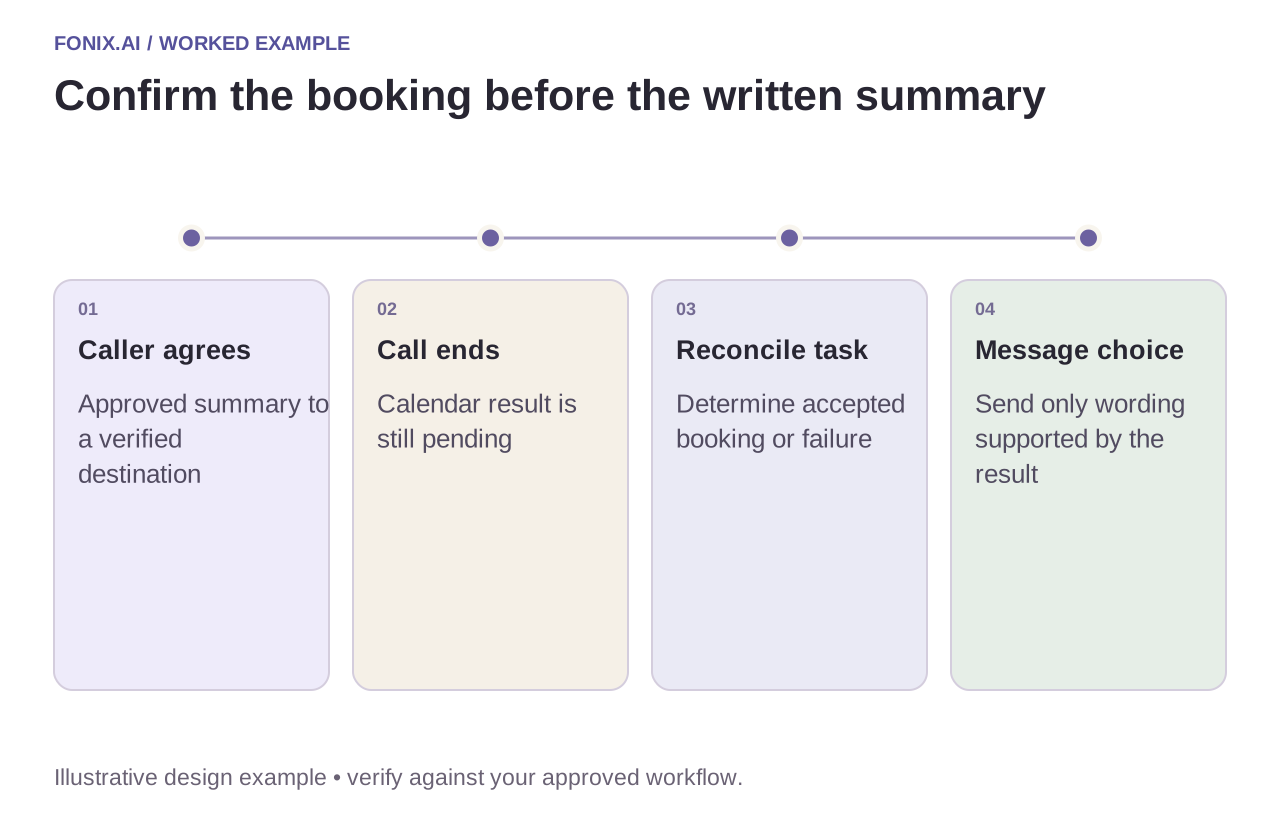
Worked example: the call ends before booking is accepted
A fictional caller agrees to receive a booking summary, then disconnects while the calendar result is pending. Wait for reconciliation. If the booking succeeded, send the approved confirmation. If it failed, send only the permitted next-step message or create an owned callback; do not manufacture a reference.
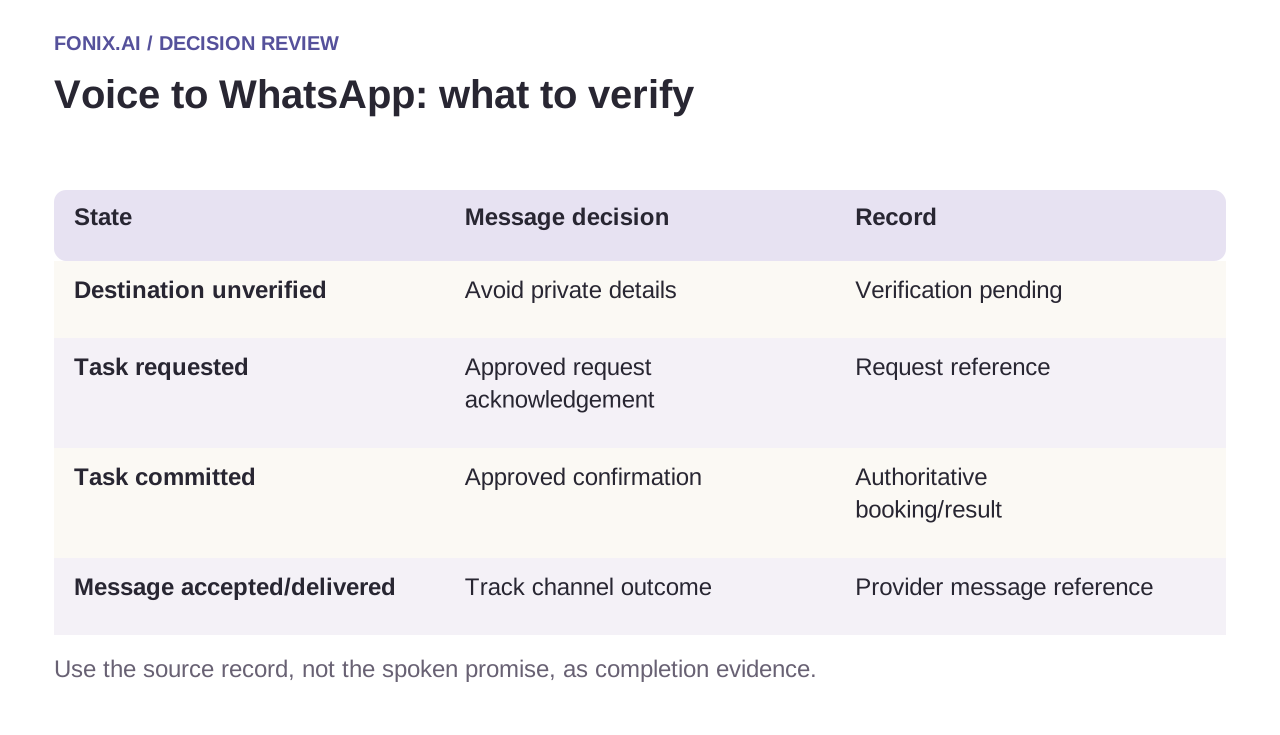
| State | Message decision | Record |
|---|---|---|
| Destination unverified | Avoid private details | Verification pending |
| Task requested | Approved request acknowledgement | Request reference |
| Task committed | Approved confirmation | Authoritative booking/result |
| Message accepted/delivered | Track channel outcome | Provider message reference |
Delivery receipts are channel evidence
Keep submitted, accepted, delivered, read where available and failed distinct. None proves the business request was resolved. An undelivered message may need an approved alternate contact route, but should not trigger unlimited retries or repeated calls.
Link incoming replies to the existing conversation/task using trusted references. A new chat should not override caller verification or allow arbitrary account access. Suppress duplicates when both call completion and booking completion events request the same message.
A voice-to-message task-continuity test
Choose one approved follow-up purpose and review current account/provider messaging eligibility. Use synthetic destinations, an approved content pattern and a mapping between call, business task and message reference. Recheck policy at deployment.
| Pilot case | Required behaviour |
|---|---|
| The caller disconnects while booking is unresolved | Reconcile first; send only wording supported by the actual result. |
| The caller requests a different message destination | Verify the destination before including private task details. |
| Both call and booking completion trigger messaging | Deduplicate the intended follow-up with one business-action key. |
Measure correct, non-duplicated next-step messages against reconciled task outcomes. Keep accepted, delivered, read where available and failed as channel states. A delivery receipt does not establish booking completion or customer understanding.
Can we assume every call permits any WhatsApp message?
No. Purpose, destination, account eligibility and provider policy need review for the actual deployment. Preserve the caller's request and use the approved messaging path. Do not imply a blanket permission or promise a message before the supported send is accepted.
Test the handoff from both channels
Use a changed number, pending booking, duplicate completion and failed delivery. Inspect the message content and the business record. Measure correct, non-duplicated next steps and customer repetition across channels.
Review a voice-to-WhatsApp handoff with one approved message and task flow. Caller verification covers access boundaries; function reliability covers unknown booking outcomes. Recheck provider policy and account eligibility at deployment.
A diagnostic-lab booking illustrates why a message must name the accepted catalogue item and collection route. The written follow-up must not introduce unapproved preparation instructions or expose private results.