

A practical guide / Fonix.AI
Subscription renewals: a practical implementation guide
A worked scenario, illustrated decision review and a practical pilot worksheet.
Subscription renewal is a contract decision
A subscription renewal voice bot can clarify an upcoming term, capture requested seat changes and connect an authorised renewal contact to the next step. It should not turn a conversation into a contract acceptance without the business's approval process.
For Fonix.AI, evaluate one subscription product and its renewal policy. Insurance policies are handled in the insurance renewal guide; this page concerns business subscriptions, contract periods and licensed capacity.
Resolve account, term and authority
Retrieve the subscription reference, renewal date, current seats, billing interval and the approved commercial offer. Distinguish a service administrator from a person authorised to accept a renewal. Knowing the account name or using its software does not establish buying authority.
Ask whether the caller wants information, a revised quote, a cancellation review or to proceed through the approved renewal process. Preserve requested changes as requests until the commercial system accepts them. A lower seat count may affect price or eligibility; the agent should not calculate unapproved exceptions.
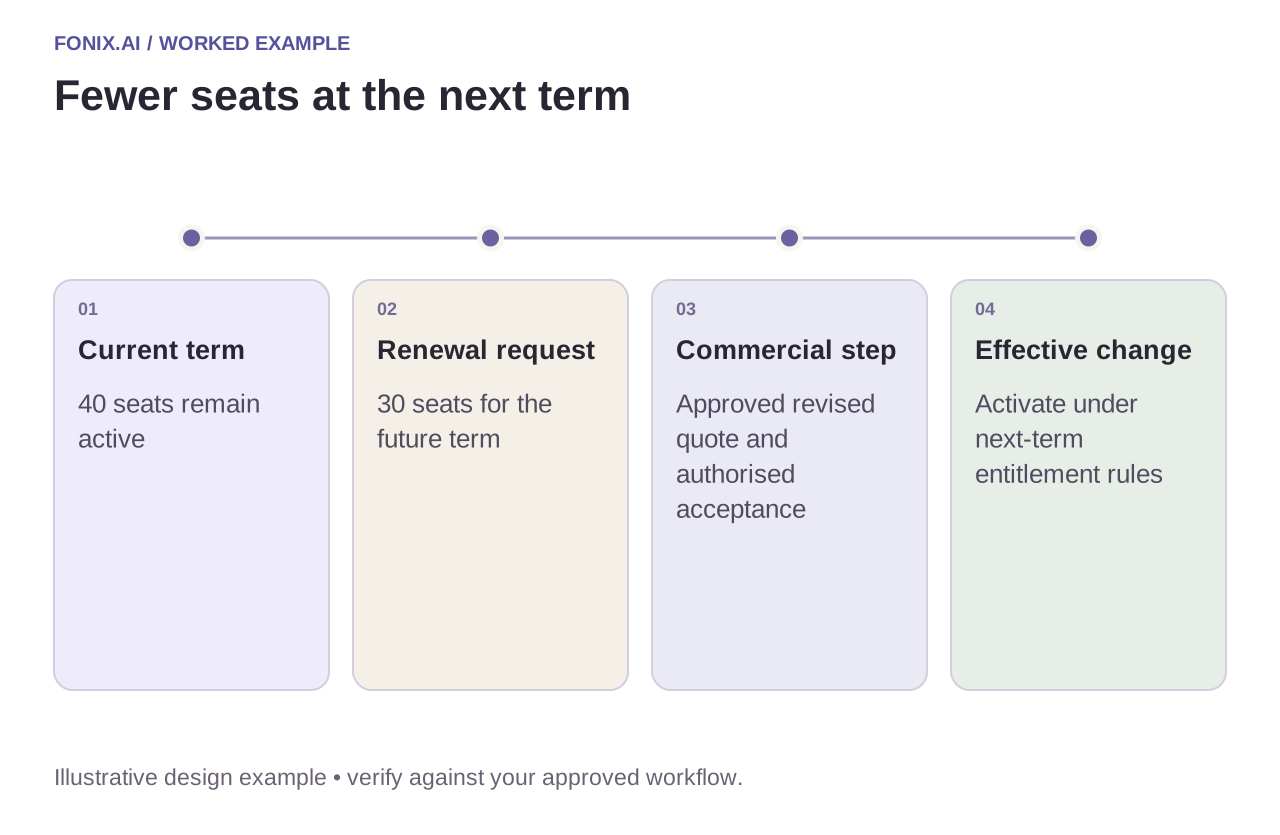
Worked example: fewer seats at the next renewal
A fictional account has forty seats and requests thirty for the next term. Its current contract remains active until the renewal date. Record the future change without immediately removing access for ten users. If approval is required, send the revised quote to the authorised contact and retain its version.
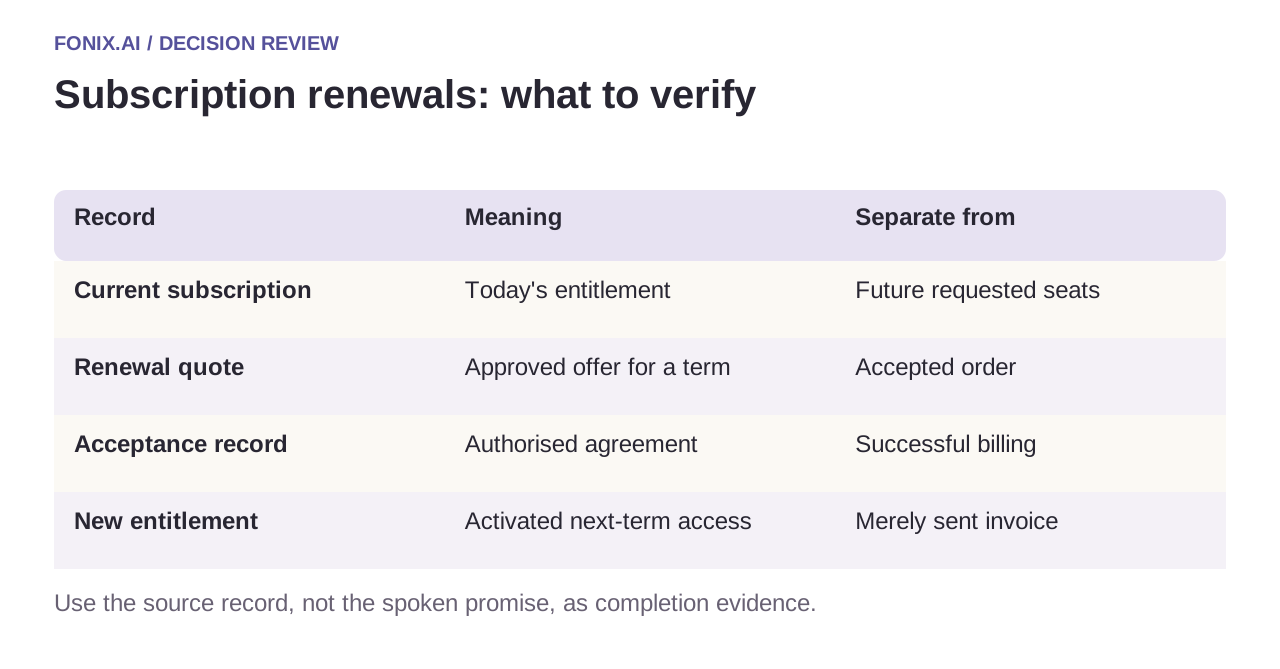
| Record | Meaning | Separate from |
|---|---|---|
| Current subscription | Today's entitlement | Future requested seats |
| Renewal quote | Approved offer for a term | Accepted order |
| Acceptance record | Authorised agreement | Successful billing |
| New entitlement | Activated next-term access | Merely sent invoice |
Reconcile billing and access changes
Link contract acceptance, invoice/payment and entitlement activation. A payment failure should not produce an invented successful renewal; an accepted order should not disappear because a webhook is delayed. Define the account team's exception route for each unresolved transition.
Recheck the subscription before a reminder. A renewal completed by a salesperson or in a portal should suppress the obsolete call. Keep cancelled, non-renewing, negotiating and unreachable distinct so automated follow-up does not override the account owner's decision.
A renewal worksheet across contract, billing and access
Use synthetic accounts with current entitlements and separate future renewal proposals. Define who can accept a quote, which changes need approval and how finance reconciles payment with next-term access.
| Pilot case | Required behaviour |
|---|---|
| Forty current seats become thirty next term | Keep today's entitlement intact until the approved effective transition. |
| An unauthorised user accepts the renewal verbally | Route to the authorised commercial contact rather than completing the contract. |
| A salesperson renews while a reminder waits | Refresh subscription state and suppress obsolete outreach before calling. |
Track correct next-term entitlements, accepted authorised renewals and unresolved billing/access mismatches. Report renewal completion for a defined eligible cohort and compare a baseline where possible. Do not credit the voice call for every subsequent retained account.
Does sending the renewal invoice prove renewal is complete?
No. Quote acceptance, billing and entitlement activation need their own evidence. Explain the actual state and next dependency. The approved process may allow access before payment or require payment first; the integration must follow that policy rather than invent one.
Track retained accounts without overclaiming attribution
Test a changed quote, an unauthorised contact, a future seat reduction and an acceptance arriving during the call. Measure correct next-term configuration, accepted account handoffs and renewal completion for a defined cohort. Compare with a baseline or holdout where practical; a renewal after a call is not automatically caused by that call.
Bring a sanitised contract snapshot and renewal approval map to review subscription renewal calls. See invoice reminders for open receivables and function reliability for uncertain billing writes.
When a renewal workflow writes into Salesforce, the Salesforce permissions and partial-result guide helps scope what the integration user may change and how unfinished actions remain visible. It does not establish a preinstalled Fonix connector.