

A practical guide / Fonix.AI
Appliance installation: a practical implementation guide
A worked scenario, illustrated decision review and a practical pilot worksheet.
Installation booking starts with a delivered product and ready site
An appliance installation booking voice bot should coordinate the delivered model, site prerequisites, technician skill and appointment window. A delivery event alone does not establish that the home is ready or that the assigned technician can install that model.
Evaluate Fonix.AI with one product category and the manufacturer's approved installation checklist. Fault repair belongs in the home-services guide, while post-sale coverage questions belong in warranty intake.
Resolve delivery and installation entitlement
Retrieve the order/model reference and actual delivery status. Confirm the service address and approved contact. Keep the delivered model separate from a general product family: installation tools, skills and site needs may differ.
Ask only the prerequisite questions the service team has approved. Capture the customer's answers without certifying electrical, plumbing or structural safety. If a prerequisite is unclear, route it for trained staff review rather than advising the customer to improvise work.
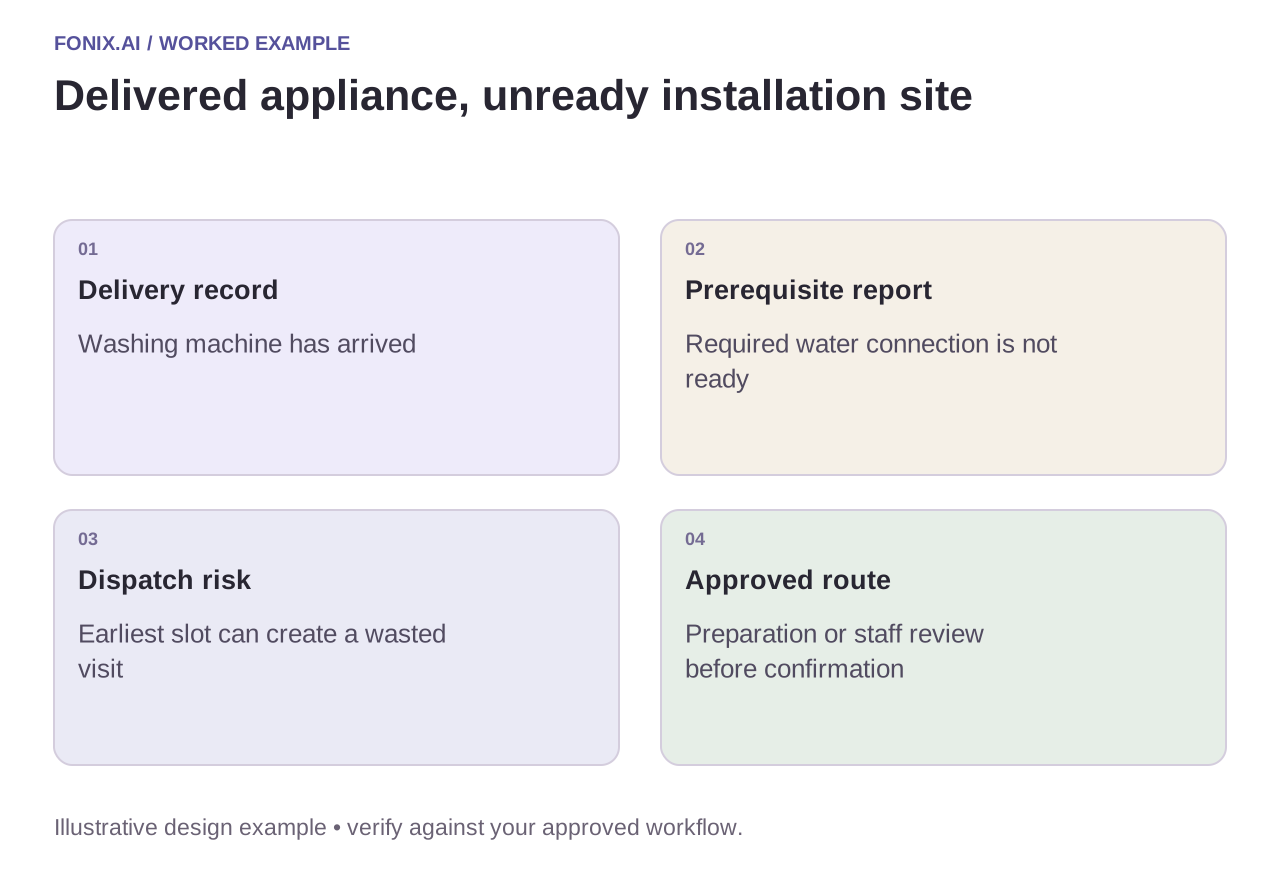
Worked example: the product arrived but a required connection is missing
A fictional washing machine is delivered, but the customer reports that the required water connection is not ready. The workflow should record the unmet prerequisite and follow the service team's approved route. Automatically booking the earliest installer can create a wasted visit and another customer call.
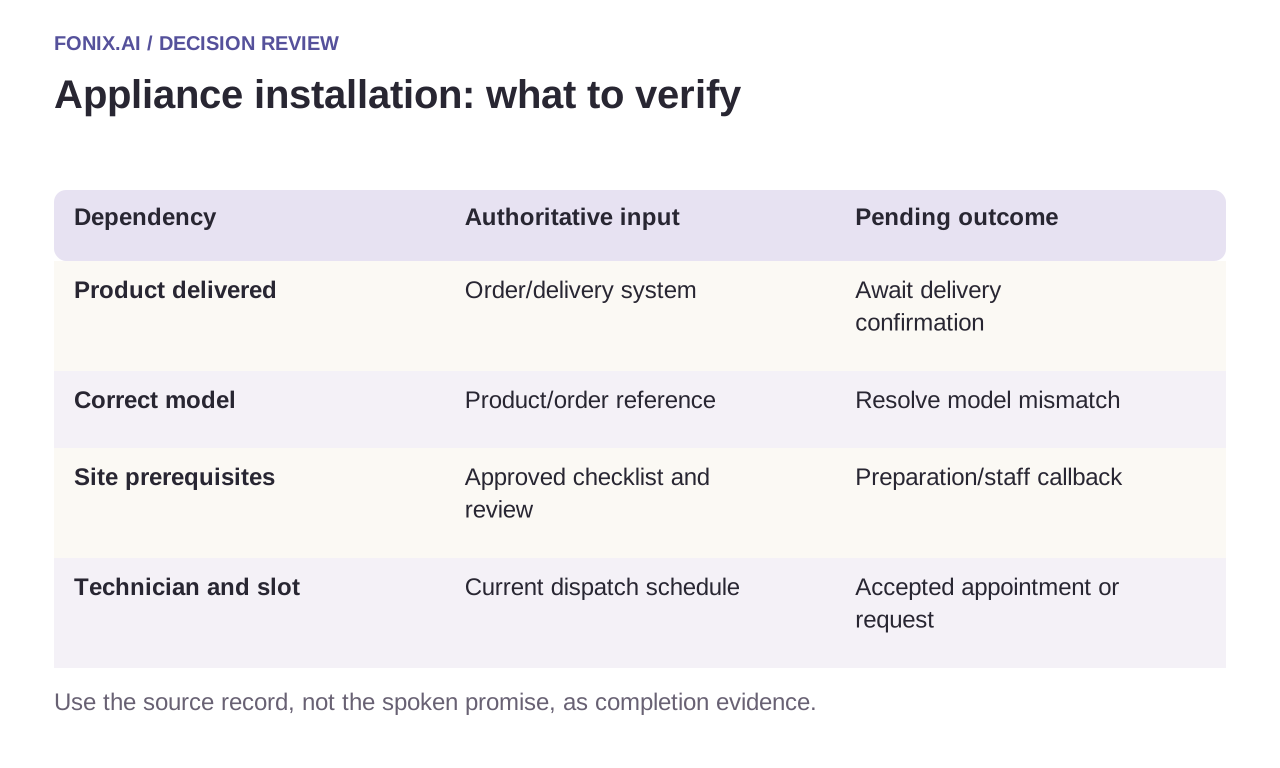
| Dependency | Authoritative input | Pending outcome |
|---|---|---|
| Product delivered | Order/delivery system | Await delivery confirmation |
| Correct model | Product/order reference | Resolve model mismatch |
| Site prerequisites | Approved checklist and review | Preparation/staff callback |
| Technician and slot | Current dispatch schedule | Accepted appointment or request |
Do not confuse a request with a dispatched visit
Read back the address, model, visit interval and any approved charge conditions. Confirm only after the scheduling system accepts the resource allocation. A task sent to dispatch is a request until the dispatch process establishes its accepted state.
If delivery is reversed, the address changes or the product is replaced, invalidate the stale installation task. Use the same work reference across repeat calls and reconcile unknown booking results before submitting again. Preserve special access restrictions for the receiving technician.
A delivery-to-installation readiness worksheet
Use one appliance category with synthetic delivery records and the manufacturer's approved readiness checklist. Dispatch should define region, technician skill and appointment capacity. Route technical or unsafe preparation questions to authorised staff.
| Pilot case | Required behaviour |
|---|---|
| The appliance arrived but a required connection is absent | Record the unmet prerequisite and use the approved preparation or staff-review path. |
| The order and delivered model differ | Resolve identity before selecting an installation procedure or technician. |
| The customer changes location after choosing a slot | Recheck coverage, access and resource availability before retaining confirmation. |
Track confirmed visits meeting approved readiness conditions, first-visit failures caused by missing intake and repeat scheduling work. Separate requested, accepted and dispatched visits. A delivery event alone is not proof of an installable site.
Should the voice agent tell customers how to alter connections?
Use only the manufacturer's approved customer-facing checklist and routing. Do not improvise electrical, plumbing or technical modification instructions. Where readiness is uncertain, preserve the issue and have the authorised service team decide the next step.
Test avoidable first-visit failures
Include a model substitution, missing prerequisite, failed delivery and corrected address. Inspect the dispatch record and the spoken promise. Measure visits that can proceed, duplicate bookings and rework caused by incomplete intake. A booked slot is not a completed installation.
Review an installation booking workflow with your delivered-product event and checklist. Appointment reminders cover attendance confirmation; function reliability covers uncertain scheduling writes.