

A practical guide / Fonix.AI
Shopify order management: design and pilot guide
A worked scenario, illustrated decision review and a practical pilot worksheet.
Shopify voice order changes need a current fulfilment check
A Shopify AI voice agent should distinguish a customer's requested change from a committed order edit. Payment, fulfilment, inventory and app permissions can affect what is possible at the moment the caller asks. Reading an order confirmation from yesterday is not enough to authorise today's cancellation.
Evaluate Fonix.AI with a specific post-purchase action and a development store. Confirm the supported connector and app access. This guide addresses order changes after purchase; cart recovery and COD confirmation have different starting states.
Resolve line items and permitted changes
Verify the caller through the merchant's approved process and select the correct order. Ask which line item and quantity should change. Preserve variant identity; a spoken colour or size must map to an actual product variant, not a plausible description.
Shopify's orderEditBegin reference describes starting an edit session before staged changes are committed. Check the selected API version and relevant access scopes. An edit preview is not the final order state.
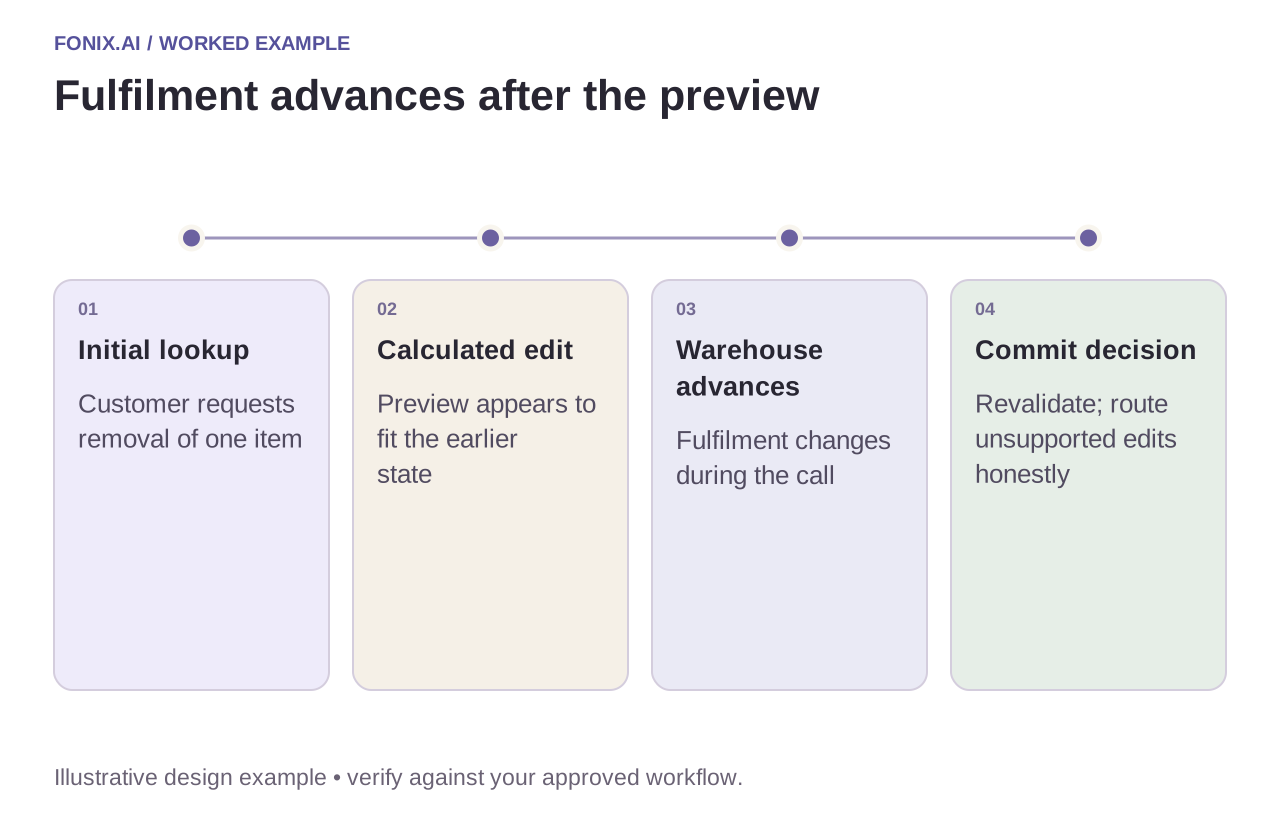
Worked example: fulfilment starts during the conversation
A fictional customer asks to remove one item. The initial lookup shows the order as eligible for review, but warehouse processing advances before the write. Recheck the applicable state and use the merchant's approved exception route if the edit can no longer proceed. Do not tell the customer it was removed because the earlier preview looked correct.
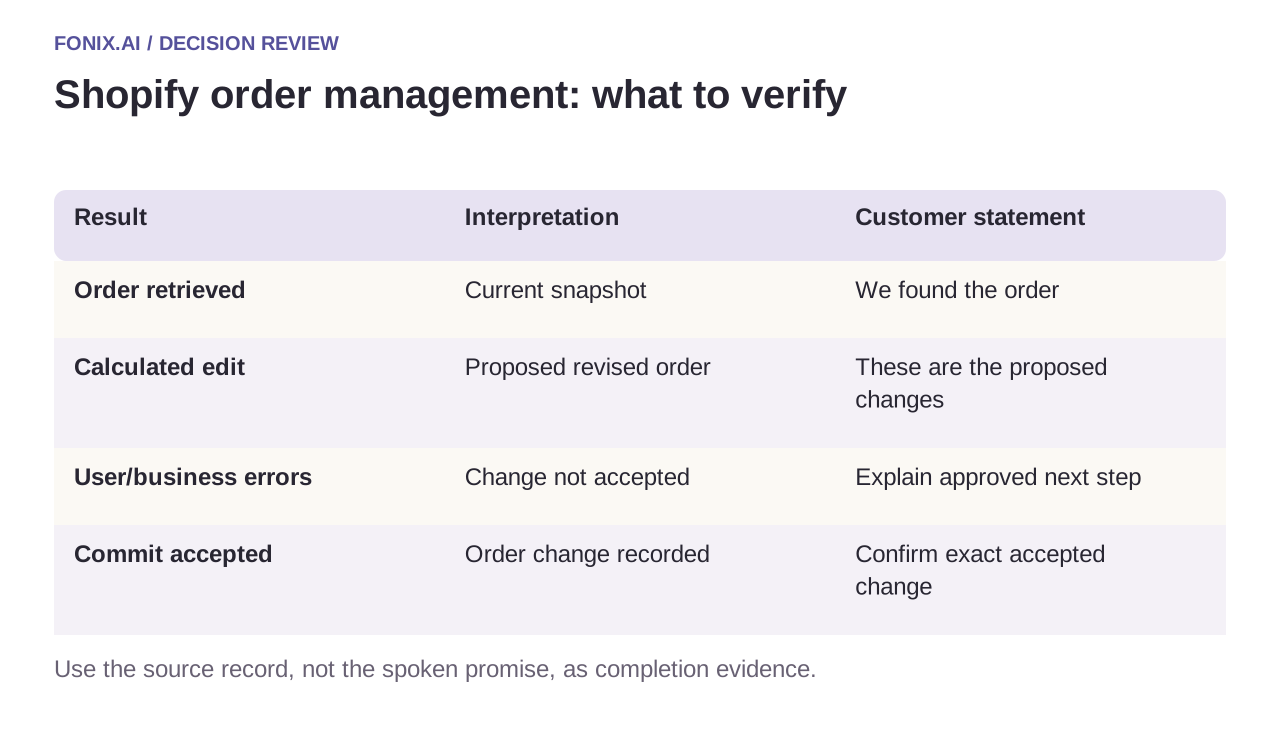
| Result | Interpretation | Customer statement |
|---|---|---|
| Order retrieved | Current snapshot | We found the order |
| Calculated edit | Proposed revised order | These are the proposed changes |
| User/business errors | Change not accepted | Explain approved next step |
| Commit accepted | Order change recorded | Confirm exact accepted change |
Separate order edits from refunds
A change can affect money owed or refundable amounts, but a calculated total does not prove a payment operation completed. Track order, refund and notification outcomes independently. Never claim a refund was issued without the authorised payment result.
Verify webhook authenticity and maintain an event ledger. Events can prompt re-reading current state; they should not blindly overwrite newer fulfilment information. If a commit response is lost, reconcile the existing edit/order state before attempting another mutation.
A Shopify development-store change rehearsal
Use a Shopify development store and an app with approved, limited scopes. Pin the Admin API version. Include editable and fulfilled items plus the merchant's permitted refund, cancellation and notification rules.
| Pilot case | Required behaviour |
|---|---|
| Fulfilment advances after the initial lookup | Recheck the relevant current state before committing the approved change. |
| The caller changes only one variant or quantity | Preserve exact line-item identity and leave unrelated products unchanged. |
| An edit response includes business errors | Keep the change unconfirmed and surface the approved next step. |
Count correctly committed requested changes against all calls claiming an order change. Report payment/refund outcomes separately and include unknown commits requiring reconciliation. Do not treat a calculated preview as a completed order mutation.
Does a changed order total mean a refund was issued?
No. Order edits and payment actions require separate evidence. Explain the accepted edit and its financial dependency under the merchant's policy, and confirm a refund only when the authorised payment operation establishes it.
Test with realistic merchant restrictions
Include partial quantities, fulfilled items, a price-changing variant and duplicate events. Inspect the final order and finance records. Count correctly committed changes and manual exception work, not merely tool calls returning transport success.
Review Shopify voice order management with sanitised order states and allowed actions. See returns handling for post-delivery requests and function reliability for uncertain commits. Official reference checked 15 October 2026; pin a supported API version.